
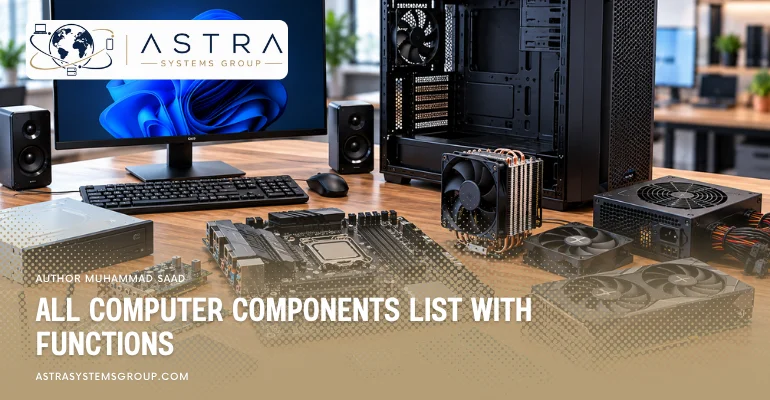

Computer components are the physical parts that allow a computer to process instructions, hold active data, store files, communicate with networks, receive power, and remain within safe operating temperatures. The same core components appear across desktops, workstations, and servers, although enterprise systems often use higher-capacity or more resilient versions. A desktop may contain standard RAM and one SSD, while a server can use ECC memory, several enterprise drives, redundant power supplies, multiple network adapters, and dedicated remote-management hardware.
The main computer components are:
- Motherboard
- Central processing unit (CPU)
- Random access memory (RAM)
- Solid-state drive (SSD)
- Hard disk drive (HDD)
- Graphics processing unit (GPU)
- Power supply unit (PSU)
- Cooling system
- Network interface card (NIC)
- Storage controller
- Expansion cards
- Sound hardware
- BIOS or UEFI firmware
- Trusted Platform Module (TPM)
- Baseboard management controller (BMC)
- Optical drive
- Computer chassis
- Input/output ports and connectors
- CMOS/RTC battery
What is a motherboard and what is its function?
A motherboard is the main circuit board that connects the computer’s processor, memory, storage, expansion devices, power connections, and external ports. Its function is to provide the electrical and data pathways that allow these components to communicate.
Desktop motherboards commonly contain a CPU socket, DIMM slots for RAM, PCI Express slots, M.2 storage connectors, SATA ports, power connectors, and rear I/O ports. Server motherboards can provide more processor sockets, additional memory channels, several PCIe lanes, management controllers, and high-speed network or storage connections.
For enterprise IT hardware, motherboard compatibility determines which CPUs, RAM types, storage controllers, network adapters, and expansion cards can be installed in a workstation or server.
What is a CPU and what is its function?
A central processing unit, or CPU, is the processor that executes program instructions and performs arithmetic, logical, control, and data-processing operations. Its function is to process the instructions generated by the operating system and applications.
A modern CPU contains several processing cores, cache memory, registers, and control circuitry. More cores allow the processor to handle more operations concurrently when the software supports parallel processing.
Desktop processors are commonly selected for office, gaming, and general computing workloads. Workstation and server processors are designed for heavier workloads and can provide higher core counts, larger memory capacity, additional PCIe connectivity, and support for features such as ECC memory. Enterprise servers can also contain two processor sockets when the platform supports dual-CPU operation.
What is RAM and what is its function?
Random access memory, or RAM, is high-speed temporary memory that holds the data and instructions a processor currently needs. Its function is to provide faster access to active information than long-term storage devices can normally provide.
More RAM allows a computer to keep more applications and larger working datasets available without moving as much information between memory and storage. Desktop and laptop systems commonly use standard DDR memory.
Enterprise servers frequently use ECC RAM, which can detect and correct certain memory errors. Server platforms can also use registered DIMMs to support larger memory capacities. Virtualization hosts, databases, analytics systems, and high-density servers often require substantially more RAM than ordinary office computers because several workloads can remain active simultaneously.
What is an SSD and what is its function?
A solid-state drive, or SSD, is a storage device that retains data in flash memory. Its function is to store the operating system, applications, databases, documents, and other information after the computer is powered off.
SATA SSDs use the SATA interface, while NVMe SSDs communicate through PCI Express and can provide substantially higher data-transfer rates and lower latency.
Consumer computers commonly use SSDs for fast startup and application loading. Enterprise SSDs are designed for server and storage workloads where endurance, sustained performance, data protection, and predictable latency can be more important. Data centres use enterprise SATA, SAS, and NVMe SSDs in servers and storage arrays according to workload requirements.
What is an HDD and what is its function?
A hard disk drive, or HDD, is a storage device that records digital information magnetically on rotating platters. Its function is to provide persistent storage for files, applications, backups, archives, and large datasets.
HDDs generally provide more storage capacity per unit of cost than SSDs but operate with mechanical components and have higher access latency.
Desktop hard drives commonly serve as secondary storage or high-capacity file drives. Enterprise HDDs are built for heavier operating cycles and are widely used in servers, network-attached storage, backup systems, and storage arrays where large capacity remains important. Server environments commonly use SATA or SAS drives, depending on the required performance, reliability, and storage architecture.
What is a GPU and what is its function?
A graphics processing unit, or GPU, is a processor designed to perform large numbers of parallel calculations. Its original function is to process graphics and produce images for a display, although GPUs now also process AI, scientific, engineering, rendering, and data-analysis workloads.
Integrated GPUs share resources with the main processor or system memory. Discrete graphics cards contain a separate GPU and dedicated video memory.
Workstations use professional GPUs for CAD, 3D modelling, simulation, video production, and visualization. Enterprise servers can contain data-centre GPUs for artificial intelligence, machine learning, virtual desktops, scientific computing, and accelerated applications. These server GPUs may operate without a directly connected monitor because their main role is computational processing.
What is a power supply unit and what is its function?
A power supply unit, or PSU, converts incoming electrical power into regulated voltages used by the motherboard, processor, storage, graphics hardware, and other internal components. Its function is to provide stable electrical power to the complete computer.
Desktop systems normally contain one PSU sized according to the processor, GPU, drives, and other installed components.
Enterprise servers commonly use redundant hot-swappable power supplies. Two PSUs can operate together so the server remains powered when one supply fails or is replaced. Data-centre equipment also places greater emphasis on power efficiency because hundreds or thousands of systems can operate simultaneously.
What is a computer cooling system and what is its function?
A computer cooling system removes heat generated by processors, graphics hardware, memory, storage, power supplies, and other electronic components. Its function is to keep hardware within its designed operating temperature.
Common cooling components include heat sinks, fans, heat pipes, thermal interfaces, and liquid-cooling systems. Desktop systems typically use individual CPU and chassis fans.
Servers use carefully directed airflow through compact chassis because many heat-producing components operate close together. High-density servers and AI systems can require advanced air cooling or liquid cooling due to greater processor and GPU power consumption. Reliable cooling is therefore part of enterprise infrastructure availability, not only a performance feature.
What is a network interface card and what is its function?
A network interface card, or NIC, is hardware that connects a computer to a network. Its function is to transmit and receive data between the computer and other devices through Ethernet, Wi-Fi, or another networking technology.
Many desktop motherboards contain an integrated Ethernet adapter, and laptops commonly include Wi-Fi hardware.
Enterprise servers often use multiple network interfaces with much greater bandwidth. Server NICs can provide 10, 25, 40, 100 GbE or higher network speeds depending on the platform. Multiple ports can separate management, application, storage, and virtualization traffic or provide redundancy when one network path fails.
What is a storage controller and what is its function?
A storage controller manages communication between the computer and attached storage devices. Its function is to control how drives are detected, accessed, organized, and presented to the operating system.
Basic computers can use storage controllers integrated into the motherboard. Enterprise servers can use dedicated RAID controllers or host bus adapters.
A RAID controller can combine several physical drives into a storage arrangement designed for performance, capacity, or fault tolerance. Host bus adapters commonly connect servers to SAS drives or external storage systems. For enterprise hardware resellers, controller compatibility is important because the card must match the server platform, drive interface, cabling, firmware, and intended storage configuration.
What are expansion cards and what is their function?
Expansion cards are circuit boards installed into motherboard expansion slots to add capabilities that are not built into the base system. Their function is to extend the computer without replacing the motherboard.
Common expansion cards include graphics cards, network adapters, storage controllers, capture cards, Fibre Channel adapters, and specialized accelerator cards.
PCI Express is the primary expansion interface in modern desktops, workstations, and servers. Enterprise systems can require specific card sizes, PCIe generations, lane widths, power limits, and chassis configurations. A server reseller therefore needs to match an expansion card not only to the required function but also to the exact platform configuration.
What is sound hardware and what is its function?
Sound hardware processes audio signals used for recording and playback. Its function is to convert digital audio into signals for speakers or headphones and convert microphone input into digital information that software can process.
Most personal computers contain audio hardware integrated into the motherboard. Dedicated sound cards or external audio interfaces can provide additional inputs, outputs, processing capabilities, or higher audio quality.
Sound hardware has less importance in most enterprise servers because servers normally operate without speakers or direct audio workloads. It remains relevant in business desktops, workstations, conferencing systems, media-production computers, and specialized professional environments.
What is BIOS or UEFI and what is its function?
BIOS or UEFI is firmware stored on the motherboard that initializes hardware when the computer starts. Its function is to identify essential components, perform startup checks, configure hardware settings, and transfer control to the operating system boot process.
UEFI is the modern firmware architecture used by current computers and provides capabilities beyond traditional BIOS, including support for modern storage layouts and Secure Boot.
Enterprise servers provide more extensive firmware configuration than typical desktops. Administrators can configure processors, memory, boot devices, virtualization features, power settings, security options, storage controllers, and network hardware through server firmware. Keeping firmware compatible and updated is also part of enterprise hardware maintenance.
What is a TPM and what is its function?
A Trusted Platform Module, or TPM, is a security component that performs cryptographic operations and stores security-related information. Its function is to provide hardware-backed protection for capabilities such as device authentication, encryption keys, and platform integrity.
A TPM can exist as a dedicated chip or as an integrated implementation supported by the computer platform.
Business desktops, laptops, and workstations commonly use TPM technology with operating-system security features such as drive encryption and secure authentication. Enterprise procurement often considers TPM availability because organizations can use hardware-backed security as part of device-management and data-protection policies.
What is a BMC and what is its function?
A baseboard management controller, or BMC, is a dedicated management processor found mainly in enterprise servers. Its function is to allow administrators to monitor and control a server independently of the main operating system.
A BMC can provide information about temperatures, fans, power supplies, memory, storage alerts, and other hardware conditions. Administrators can also use it to restart a server, access a remote console, or perform maintenance without being physically present at the data centre.
Server manufacturers implement remote management through platforms such as Dell iDRAC, HPE iLO, and Lenovo XClarity Controller. BMC functionality is therefore an important consideration when sourcing enterprise servers for remote offices, data centres, and managed infrastructure.
What is an optical drive and what is its function?
An optical drive reads or writes information stored on optical discs such as CDs, DVDs, and Blu-ray media. Its function is to access software, documents, media, or archived information stored on compatible discs.
Optical drives were once standard components in desktop and laptop computers but are uncommon in many current systems because software and files are now frequently distributed through networks, cloud platforms, and flash storage.
External USB optical drives remain available for systems that require legacy media. Some enterprise environments also retain optical equipment where older software, archived records, or specialized workflows continue to use discs.
What is a computer chassis and what is its function?
A computer chassis is the physical enclosure that holds and protects the internal components of a computer. Its function is to provide mounting positions, airflow, physical protection, cable organization, and access to internal hardware.
Desktop chassis designs include tower, small-form-factor, and compact cases. Workstations often use larger enclosures to support powerful processors, GPUs, storage, and cooling.
Enterprise servers commonly use rack-mounted chassis measured in rack units such as 1U, 2U, or 4U. The chassis size affects the number of drives, expansion cards, power supplies, processors, and cooling components that can fit inside the server. Rack compatibility is therefore an important part of enterprise server selection.
What are input/output ports and connectors and what is their function?
Input/output ports and connectors provide physical interfaces between the computer and internal or external devices. Their function is to carry data, video, audio, network traffic, or electrical power between components.
Common external interfaces include USB, USB-C, Thunderbolt, HDMI, DisplayPort, Ethernet, and audio connectors. Internal connectors include PCIe slots, SATA ports, M.2 sockets, memory slots, and power connections.
Enterprise servers can also use specialized interfaces for high-speed networking, SAS storage, Fibre Channel, management networks, and external storage systems. When replacement hardware is sourced, matching connector type and interface generation is important because a physically similar component is not always electrically or technically compatible.
What is a CMOS/RTC battery and what is its function?
A CMOS or real-time clock battery is a small battery installed on the motherboard. Its function is to maintain the system clock and preserve certain firmware settings when the computer is disconnected from main power.
Desktop motherboards commonly use a replaceable coin-cell battery. A depleted battery can cause the computer to lose its date, time, or stored firmware configuration after power is removed.
Servers also contain batteries or equivalent components for maintaining clock and platform settings, although their design varies by manufacturer. Some enterprise storage controllers use separate battery or flash-backed protection systems, but these serve a different purpose: protecting cached storage data during a power failure.