

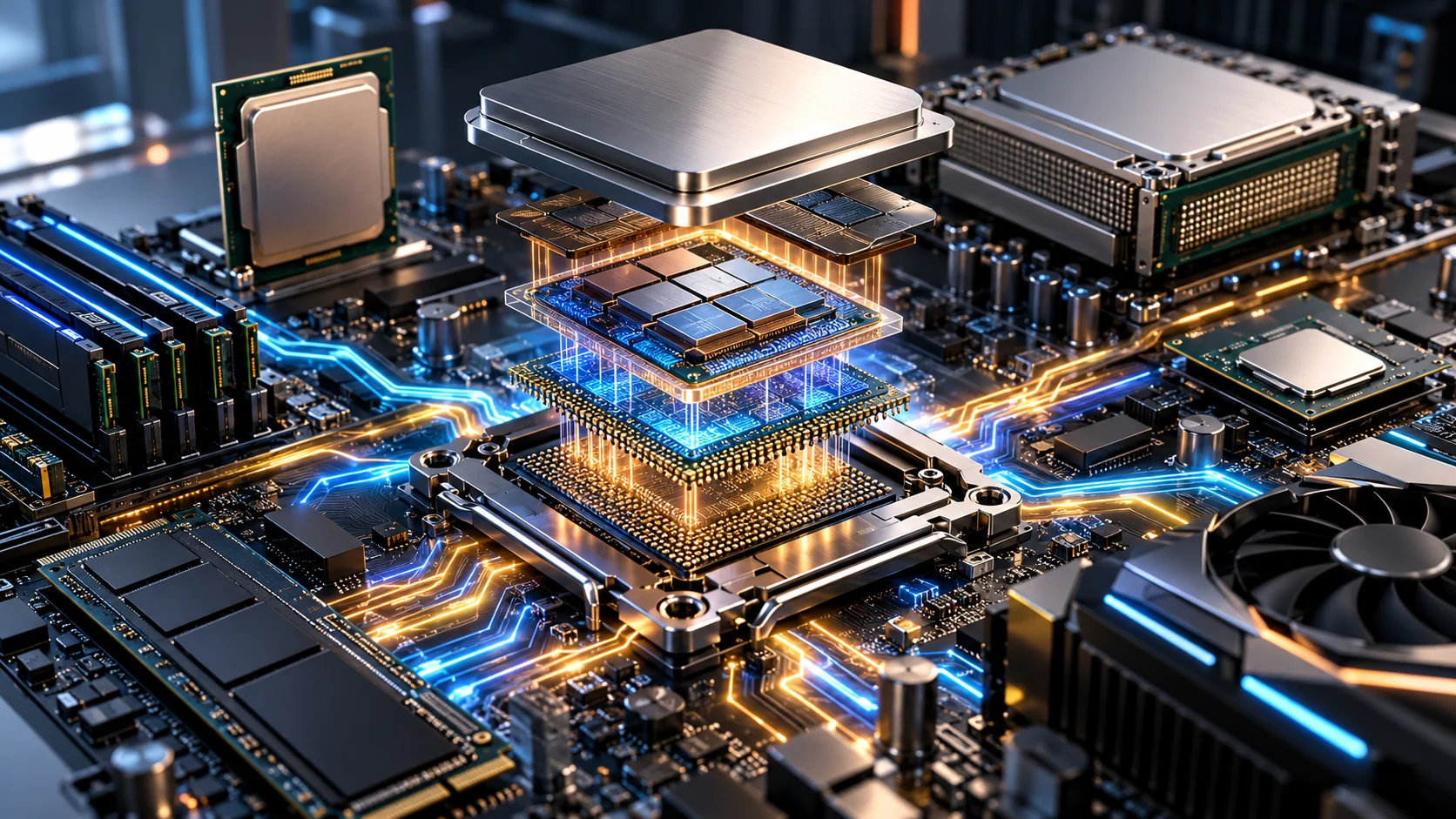

A CPU (Central Processing Unit) is the primary processor that executes instructions, performs calculations, and controls data processing in a computer system. A CPU works through a repeated instruction cycle involving fetching, decoding, executing, and storing results. Modern CPUs contain processing cores, registers, control units, arithmetic logic units, and cache memory.
CPU architecture, clock speed, core count, thread count, and memory bandwidth determine processing capabilities across desktops, laptops, workstations, servers, and enterprise data centers. Processor technology has progressed from vacuum tubes and transistor circuits to integrated microprocessors, multi-core chips, chiplet architectures, and AI-accelerated computing systems.
What Is a CPU?
A CPU (Central Processing Unit) is a programmable semiconductor processor that executes computer instructions and performs arithmetic, logical, and control operations. The processor communicates with RAM, storage controllers, graphics hardware, and input/output devices through the computer’s system architecture.
For example, an AMD Ryzen 9 9950X contains 16 CPU cores and 32 processing threads with a maximum boost frequency of 5.7 GHz. The processor executes application instructions while coordinating data access through the memory subsystem.
How Does a CPU Work?
A CPU works through a continuous instruction-processing cycle called fetch, decode, execute, and write-back. The control unit coordinates instruction execution while registers, cache, and execution units process data.
- Fetch instructions: The CPU retrieves program instructions from its instruction cache or the memory hierarchy.
- Decode instructions: The instruction decoder interprets the operation and identifies the required operands.
- Load data: CPU registers and cache provide the data required by the instruction.
- Execute operations: Arithmetic, logic, floating-point, and other execution units perform the specified operations.
- Write results: The processor stores results in registers or memory and updates the appropriate execution state.
- Repeat processing: The CPU continues processing instructions through pipelining, parallel execution, and multiple processing cores.
What Does a CPU Do in a Computer?
A CPU performs 5 primary operations: instruction execution, arithmetic processing, logical processing, data movement, and system control. The processor executes operating-system code and application instructions while coordinating computation and communication with memory and other computer components.
What Is the Role of the CPU in a Computer?
The role of the CPU in a computer is to execute software instructions and coordinate processing activities across the computer system. The CPU manages program execution, interrupts, memory access, and computational tasks. Operating systems allocate processor time among applications and background processes.
What Are the Components of a CPU?
The main CPU components are the control unit, arithmetic logic unit, registers, cache memory, execution units, clocking circuits, and internal interconnects. Modern processors also integrate memory controllers, address-translation hardware, and sometimes graphics or AI accelerators.
- Control Unit (CU): Decodes instructions and coordinates operations across processor execution units.
- Arithmetic Logic Unit (ALU): Performs integer arithmetic, bitwise operations, and logical comparisons.
- Floating-Point Unit (FPU): Processes floating-point arithmetic for scientific, engineering, and mathematical workloads.
- Registers: Hold instructions, addresses, operands, and temporary results inside CPU cores.
- Cache Memory: Stores frequently accessed instructions and data closer to the processing cores.
- Instruction Decoder: Converts machine instructions into internal processor operations.
- Clocking Circuits: Synchronize processor operations using electrical timing signals.
- Memory Management Unit (MMU): Translates virtual memory addresses into physical memory addresses and enforces memory protections.
- Memory Controller: Manages data exchange between the processor and supported system RAM.
- Internal Interconnect: Transfers data between CPU cores, cache, memory controllers, and other processor components.
What Are CPU Cores and Threads?
CPU cores are independent processing engines within a processor, while threads represent execution contexts that the operating system can schedule. A multi-core processor executes instructions across multiple cores. Simultaneous multithreading (SMT) allows a supported physical core to execute instructions from more than one software thread.
For example, the AMD Ryzen 9 9950X contains 16 cores and 32 threads, while the AMD Threadripper PRO 9995WX contains 96 cores and 192 threads.
What Is CPU Architecture?
CPU architecture is the instruction-set specification and processor organization that determine how a CPU executes instructions, accesses memory, and communicates with system components.
The 3 prominent instruction-set architecture families are:
- x86-64: A 64-bit extension of x86 used by Intel Core, Intel Xeon, AMD Ryzen, AMD EPYC, and Threadripper processors.
- ARM: A processor architecture used in Apple silicon, Qualcomm Snapdragon, smartphones, embedded systems, and Arm-based data-center platforms.
- RISC-V: An open instruction-set architecture used in embedded processors, microcontrollers, research systems, and emerging computing platforms.
CPU microarchitecture describes the internal implementation of an instruction set, including pipelines, execution units, caches, and branch prediction.
What Are the Types of CPU?
The main CPU types are single-core, multi-core, desktop, mobile, workstation, server, and embedded processors, classified by processing architecture, application, and target computing environment.
- Single-Core CPU: Contains one processing core that executes a single instruction stream, with concurrency supported through scheduling.
- Multi-Core CPU: Contains 2 or more physical cores for parallel instruction execution.
- Desktop CPU: Powers personal computers for productivity, gaming, development, and content creation.
- Mobile CPU: Uses power-efficient architectures for laptops, tablets, smartphones, and portable computing devices.
- Workstation CPU: Provides higher core counts, memory capacity, and expansion capability for professional computing.
- Server CPU: Supports sustained multi-user workloads, large memory configurations, virtualization, and data-center infrastructure.
- Embedded CPU: Executes dedicated computing tasks inside industrial equipment, automotive systems, networking devices, and appliances.
What Is the History of the CPU?
The history of the CPU progressed through vacuum-tube processors, transistor CPUs, small-scale integration CPUs, large-scale integration CPUs, and single-chip microprocessors. Semiconductor integration reduced component size while increasing processor complexity and computing performance.
- 1940s — Vacuum-Tube CPUs: Early electronic computers used vacuum tubes for logic and control. ENIAC, completed in 1946, contained approximately 18,000 vacuum tubes and executed thousands of arithmetic operations per second.
- 1947 — Transistor Invention: John Bardeen and Walter Brattain demonstrated the first working point-contact transistor at Bell Laboratories.
- 1950s — Transistor CPUs: Transistors replaced vacuum tubes in processor logic. The University of Manchester demonstrated an experimental transistor-based computer in 1953.
- Late 1950s — Integrated Circuits: Jack Kilby demonstrated an integrated circuit in 1958, and Robert Noyce developed a monolithic silicon integrated-circuit approach in 1959.
- 1960s — Small-Scale Integration CPUs: Small-scale integration (SSI) placed relatively small numbers of logic gates and transistors onto individual chips. Processors still required multiple integrated circuits connected across circuit boards.
- Late 1960s–1970s — Large-Scale Integration CPUs: Large-scale integration (LSI) combined hundreds or thousands of transistors on semiconductor chips, enabling increasingly complex processor functions.
- 1971 — Microprocessors: Intel introduced the 4004, a commercial 4-bit microprocessor containing approximately 2,300 transistors on one chip.
- 1974–1978 — 8-Bit and 16-Bit CPUs: Intel introduced the 8080 8-bit processor in 1974 and the 8086 16-bit processor in 1978, establishing the foundation of the x86 processor family.
- 1980s–1990s — 32-Bit CPUs: Intel 80386, Motorola 68020, and various RISC processors expanded computing capabilities. Later processors introduced increasingly advanced pipelines, cache hierarchies, and instruction-level parallelism.
- 2000s — 64-Bit and Multi-Core CPUs: AMD introduced the x86-64 architecture through Opteron and Athlon 64 processors in 2003. Multi-core processor designs became widespread in personal computers and servers.
- 2010s — Multi-Core and Mobile Computing: Processor development expanded toward higher core counts, energy-efficient ARM architectures, integrated graphics, and heterogeneous system-on-chip designs.
- 2020s — Chiplet and AI Computing: Modern processors combine advanced CPU cores, large caches, chiplets, AI accelerators, DDR5 memory support, and high-bandwidth system interconnects.
What Is the Difference Between Desktop, Laptop, Workstation, and Server CPUs?
Desktop, laptop, workstation, and server CPUs differ in core count, power consumption, memory support, expansion capability, thermal requirements, and target workloads.
| CPU type | Main characteristics | Common applications |
|---|---|---|
| Desktop CPU | High clock speeds, general-purpose cores, moderate memory capacity | Office work, gaming, content creation |
| Laptop CPU | Power-efficient operation, integrated features, mobile thermal limits | Portable productivity, mobile workstations |
| Workstation CPU | High core counts, extensive PCIe connectivity, large ECC memory capacity | CAD, rendering, simulations, professional development |
| Server CPU | High core density, enterprise memory support, RAS features, sustained throughput | Cloud computing, databases, virtualization, data centers |
What Is the Difference Between Intel and AMD Processors?
Intel and AMD processors differ in microarchitecture, core organization, cache design, motherboard compatibility, memory support, and processor families. Both companies offer x86-64 desktop, workstation, and server processors.
| Attribute | Intel | AMD |
|---|---|---|
| Desktop families | Core, Core Ultra | Ryzen |
| Workstation families | Xeon W, Xeon 600 | Ryzen Threadripper PRO |
| Server families | Xeon Scalable, Xeon 6, Xeon 6+ | EPYC |
| Architecture | Intel x86-64 designs | AMD x86-64 Zen designs |
| Core technology | Performance and Efficient cores in selected models | Zen performance cores and Zen c density-focused cores in selected models |
| Memory technology | DDR4 or DDR5, depending on platform | DDR4 or DDR5, depending on platform |
| Platform compatibility | Intel-specific sockets and chipsets | AMD-specific sockets and chipsets |
What Are the Leading Manufacturers of CPUs?
Leading CPU designers and suppliers include Intel, AMD, Apple, Qualcomm, MediaTek, IBM, NVIDIA, and Ampere Computing, serving personal computers, mobile devices, workstations, servers, and cloud infrastructure.
- Intel: Develops Core, Core Ultra, Xeon, and Xeon 6 processors for consumer, professional, and enterprise computing.
- AMD: Develops Ryzen, Threadripper, and EPYC processors for desktops, workstations, and servers.
- Apple: Designs M-series and A-series processors for Mac computers, iPhones, iPads, and other Apple devices.
- Qualcomm: Develops Snapdragon processors for smartphones, laptops, and connected computing devices.
- MediaTek: Develops Dimensity and other ARM-based processors for mobile and embedded devices.
- IBM: Develops POWER processors for enterprise computing, including Power11-based systems.
- NVIDIA: Develops Arm-based Grace and Vera CPUs for accelerated data-center and AI infrastructure.
- Ampere Computing: Develops ARM-based server processors for cloud-native and high-density computing.
What Is CPU Cache Memory?
CPU cache memory is high-speed semiconductor memory located inside or closely integrated with the processor to store frequently accessed instructions and data. CPU caches reduce the average delay associated with retrieving information from system RAM.
Modern processors generally organize cache into L1, L2, and L3 levels, with differences in size, latency, and sharing across cores.
What Is the Difference Between L1, L2, and L3 Cache?
The difference between L1, L2, and L3 cache is their position in the memory hierarchy, capacity, access latency, and sharing arrangement.
- L1 Cache: The smallest and typically fastest cache, generally dedicated to an individual CPU core and often separated into instruction and data caches.
- L2 Cache: Larger than L1 and generally slower, serving one core or a small group of cores depending on the processor design.
- L3 Cache: Usually larger and shared among multiple CPU cores within a processor or chiplet.
What Is a CPU Chip?
A CPU chip is a semiconductor integrated circuit containing processor logic fabricated from transistors and connected through microscopic electrical interconnects. Modern processor packages can contain one silicon die or multiple chiplets, including CPU cores, cache, memory controllers, and I/O circuitry.
For example, AMD Ryzen 9 9950X uses separate CPU core chiplets and an I/O die inside one processor package.
How Many Cores Can a CPU Have?
A CPU can contain 1 to hundreds of physical cores, depending on architecture and intended use. Current desktop processors commonly contain 6–24 cores, while workstation and server processors support significantly higher counts.
For example, the AMD Threadripper PRO 9995WX contains 96 cores, AMD EPYC 9005 models reach 192 cores, and Intel Xeon 6+ 6990E+ contains 288 efficiency cores.
What Are the Benefits of a Powerful CPU?
The main benefits of a powerful CPU are higher computational throughput, faster instruction execution, increased multitasking capacity, and support for demanding software workloads. Actual gains depend on core count, clock speed, cache, architecture, memory bandwidth, and application parallelism.
- Faster application processing: Higher single-thread performance reduces execution time for processor-dependent tasks.
- Higher parallel throughput: Additional CPU cores process more independent threads simultaneously.
- Greater virtualization density: Higher core counts and memory support accommodate more concurrent virtual machines.
- Higher rendering capacity: Multi-threaded processors reduce computation time for supported rendering and simulation tasks.
- Higher database throughput: CPU cores process queries, transactions, indexing, and database operations.
- Greater system scalability: Server CPUs support additional memory, PCIe devices, storage controllers, and network adapters.
What Are the Common Uses of CPUs?
CPUs are used for general computing, gaming, software development, data processing, virtualization, scientific research, cloud services, and enterprise applications.
- Personal computing: Executes operating systems, browsers, productivity applications, and background processes.
- Gaming: Processes game logic, physics, simulation, and CPU-dependent rendering commands.
- Software development: Compiles programs, executes testing environments, and runs development tools.
- Content creation: Processes video encoding, rendering, audio effects, and design workloads.
- Database management: Executes SQL queries, transaction processing, indexing, and analytics.
- Virtualization: Allocates processing resources among virtual machines and containers.
- Cloud computing: Runs distributed services, web applications, and shared infrastructure workloads.
- Scientific computing: Performs mathematical simulations, engineering calculations, and research processing.
- Artificial intelligence: Handles data preparation, inference workloads, orchestration, and communication with GPU accelerators.
What Is a Server CPU?
A server CPU is a processor designed for sustained multi-user workloads, large memory configurations, virtualization, and data-center computing. Server processors commonly provide ECC memory support, extensive PCIe connectivity, hardware virtualization, and reliability, availability, and serviceability features.
Intel Xeon, AMD EPYC, IBM POWER, and ARM-based server processors operate in enterprise applications, database systems, cloud platforms, and high-performance computing infrastructure.
What Is the Difference Between Server CPUs and Desktop CPUs?
Server CPUs differ from desktop CPUs in memory capacity, PCIe expansion, multi-socket support, reliability features, and workload optimization.
| Attribute | Server CPU | Desktop CPU |
|---|---|---|
| Main purpose | Enterprise and multi-user workloads | Personal computing |
| Core count | Often higher for parallel throughput | Usually lower |
| Memory capacity | Larger enterprise configurations | Smaller consumer configurations |
| ECC support | Common | Platform-dependent |
| Memory channels | Often 8–12 or more | Commonly 2 |
| PCIe connectivity | Extensive accelerator and I/O expansion | Consumer graphics and storage expansion |
| Multi-socket support | Available in selected platforms | Generally single-socket |
| Virtualization | Enterprise scalability and management features | General virtualization support |
What Is an Enterprise CPU?
An enterprise CPU is a processor configured for business-critical computing with scalable cores, large memory capacity, extensive I/O connectivity, and reliability features. Enterprise processor platforms include AMD EPYC, Intel Xeon, AMD Threadripper PRO, Intel Xeon workstation processors, and IBM POWER.
Enterprise CPU selection centers on:
- Core and thread capacity: Supports simultaneous services, virtual machines, and parallel processing.
- Memory channels and capacity: Supplies bandwidth and RAM capacity for databases, analytics, and in-memory applications.
- PCIe connectivity: Accommodates GPUs, NVMe storage, and high-speed networking.
- Reliability features: Includes ECC memory support, hardware error reporting, and platform-specific RAS functions.
- Virtualization support: Provides hardware-assisted virtualization and memory-management capabilities.
- Power efficiency: Determines processor energy requirements and data-center operating costs.
How to Check CPU Usage and Performance?
To check CPU usage and performance, monitor processor utilization, clock frequency, logical processors, temperature, and application workload through operating-system or management utilities.
- Windows: Open Task Manager > Performance > CPU to inspect utilization, clock speed, core count, and logical processors.
- Linux: Use
top,htop,lscpu, ormpstatto examine processor activity and CPU architecture. - macOS: Open Activity Monitor > CPU to inspect processor usage and application activity.
- Enterprise servers: Use Dell iDRAC, HPE iLO, Lenovo XClarity, or compatible system-monitoring software for processor health and hardware information.
- Performance benchmarks: Compare workload-specific single-thread, multi-thread, and application benchmark results under equivalent system configurations.
How to Choose the Right CPU?
To choose the right CPU, match processor cores, threads, clock speed, cache, memory support, power consumption, and motherboard compatibility to the intended workload.
The 7 main CPU selection factors are:
- Core count: Match physical cores to multitasking and parallel-processing requirements.
- Thread count: Check simultaneous multithreading support and operating-system scheduling requirements.
- Clock frequency: Compare base and boost frequencies alongside actual application benchmarks.
- Cache capacity: Evaluate cache size and architecture for latency-sensitive workloads.
- CPU socket: Verify physical socket, chipset, BIOS, and processor-generation compatibility.
- Memory support: Check RAM generation, maximum capacity, supported speed, and memory channels.
- Power and cooling: Compare TDP, actual power limits, cooler compatibility, and chassis airflow.
How to Choose the Right CPU for Enterprise Performance?
To choose a CPU for enterprise performance, prioritize workload-specific core performance, memory bandwidth, PCIe connectivity, virtualization support, reliability features, and power efficiency.
| Enterprise workload | CPU selection priority |
|---|---|
| Database servers | Core performance, memory bandwidth, cache, latency |
| Virtualization | Core count, thread capacity, memory support |
| Cloud hosting | Processing density, energy efficiency, parallel throughput |
| AI inference | CPU-GPU connectivity, memory bandwidth, instruction support |
| 3D rendering | High core counts and sustained multi-thread performance |
| Engineering simulations | CPU performance, memory bandwidth, vector instructions |
| Enterprise applications | Single-thread performance, reliability, software compatibility |
What Is the Price Range of CPUs?
CPU prices range from under $100 for selected entry-level or older processors to more than $10,000 for high-core-count workstation processors. Price differences reflect architecture, core count, clock speed, cache capacity, processor generation, power characteristics, and enterprise features.
The following published U.S. suggested prices provide examples across processor categories.
| CPU model | Cores / Threads | Published starting or suggested price |
|---|---|---|
| Intel Core Ultra 5 250K Plus | 18 / 18 | $199 |
| Intel Core Ultra 7 270K Plus | 24 / 24 | $299 |
| AMD Threadripper PRO 9955WX | 16 / 32 | $1,649 |
| AMD Threadripper PRO 9975WX | 32 / 64 | $4,099 |
| AMD Threadripper PRO 9985WX | 64 / 128 | $7,999 |
| AMD Threadripper PRO 9995WX | 96 / 192 | $11,699 |
What Are the Current Trends in CPU Technology?
Current CPU technology trends in 2026 include higher core density, chiplet-based packaging, heterogeneous CPU designs, advanced cache architectures, integrated AI processing, and improved performance per watt. Intel Xeon 6+ processors reach 288 efficiency cores per socket, while AMD Threadripper PRO 9000 WX workstation processors reach 96 cores and 192 threads. Processor development also includes specialized hardware for AI inference, virtualization, encryption, and high-speed data movement.
ARM-based data-center processing is expanding alongside traditional x86 server architectures. NVIDIA introduced the Vera CPU in March 2026 with 88 custom Arm-compatible cores and up to 1.2 TB/s of memory bandwidth. Arm’s Neoverse designs emphasize scalable cloud and AI infrastructure, while Intel, AMD, IBM, and NVIDIA are integrating processor, memory, interconnect, and accelerator technologies into increasingly specialized computing platforms.