

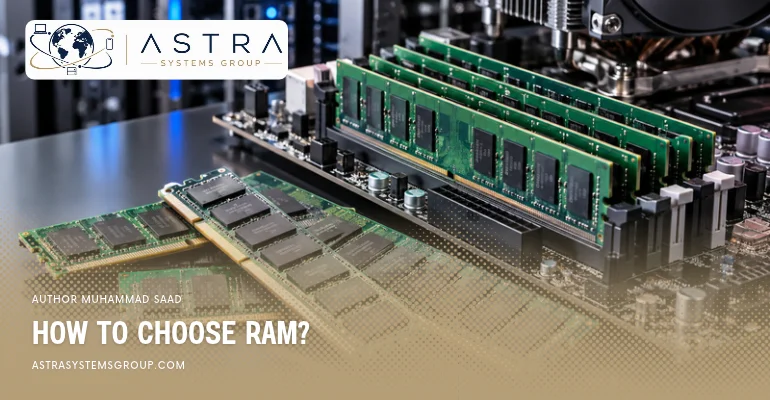

To choose RAM for a PC, check motherboard compatibility and select 16GB or 32GB based on your usage. For enterprise work, consider server workloads and ECC memory. For gaming and professional work, prioritize memory capacity, speed, and processor compatibility.
How to Choose RAM for a PC?
To choose RAM for a PC, select 16GB for general computing or 32GB for heavier multitasking, then match the RAM type and speed with your motherboard and processor.
For basic activities such as web browsing, video streaming, and Microsoft Office, 16GB provides enough memory for most users. A 32GB configuration suits PCs running multiple demanding applications, while 64GB benefits memory-intensive software.
Check whether the motherboard supports DDR4 or DDR5 RAM, as the two generations have different physical connectors and are not interchangeable. Desktop computers generally use DIMM modules, while upgradeable laptops typically use SO-DIMM modules.
A matched pair of 8GB or 16GB modules also enables dual-channel memory operation on compatible desktop platforms, increasing available memory bandwidth.
How to Choose RAM for Enterprise Work?
To choose RAM for enterprise work, prioritize memory capacity, error correction, and server compatibility based on applications such as virtualization, database management, and enterprise resource planning (ERP).
Enterprise servers often start with 64GB or 128GB RAM, although actual requirements depend on the operating system, application demand, and number of concurrent users. Large virtual machine deployments and in-memory databases can require 256GB, 512GB, or more.
ECC (Error-Correcting Code) memory detects and corrects supported memory errors, reducing the risk of data corruption. Registered DIMMs (RDIMMs) also support high-capacity memory configurations in compatible server systems.
Check the server processor’s supported memory channels, DIMM population rules, and maximum RAM capacity. Enterprise platforms may reduce memory speed when additional modules occupy the available channels.
How to Choose RAM for a Gaming PC?
To choose RAM for a gaming PC, select 32GB in a dual-channel configuration for modern gaming, while 16GB remains suitable for many competitive and less demanding games.
A 2×16GB RAM kit provides 32GB of system memory and supports dual-channel operation on mainstream desktop platforms. This capacity accommodates modern games, background applications, and gaming-related software such as Discord.
For compatible DDR5 gaming systems, DDR5-6000 is a common performance-oriented option, although the ideal speed varies by processor and motherboard. DDR4 systems often use DDR4-3200 or DDR4-3600, depending on platform support.
Faster RAM can influence gaming performance, particularly in CPU-limited situations. However, the graphics card, processor, game engine, and resolution also influence frame rates. Increasing RAM beyond a game’s requirements does not automatically produce higher FPS.
How to Choose RAM for a Working PC?
To choose RAM for a working PC, match memory capacity with professional software requirements, including office applications, programming environments, video editing, and computer-aided design (CAD).
A 16GB configuration supports standard office work, spreadsheets, browser applications, and video conferencing. A 32GB configuration provides additional capacity for software development, Adobe Photoshop, and moderate video editing.
Professional workloads involving 4K video editing, large CAD assemblies, multiple virtual machines, or complex 3D scenes may benefit from 64GB or more.
Check the maximum memory usage of your primary applications before purchasing additional RAM. For professional PCs, sufficient capacity generally matters more than small differences in memory frequency.
How to Choose RAM Speed?
To choose RAM speed, match the memory transfer rate with your processor and motherboard specifications, then compare latency, supported memory profiles, and system stability.
RAM speed is measured in megatransfers per second (MT/s). For example, DDR4-3200 transfers data at 3,200 MT/s, while DDR5-6000 operates at 6,000 MT/s. These figures describe transfer rates rather than direct application performance.
For DDR4 computers, 3,200 MT/s is a common configuration. For compatible DDR5 desktop systems, 5,600 to 6,000 MT/s provides a practical performance range. Higher speeds offer additional bandwidth, but actual performance depends on processor support and memory timings.
CAS latency (CL) also affects memory response time. At the same transfer rate, DDR5-6000 CL30 has lower CAS latency than DDR5-6000 CL40.
Check Intel XMP or AMD EXPO compatibility when selecting high-speed memory kits. These BIOS memory profiles configure advertised speeds and timings, but stable operation depends on the processor, motherboard, and installed modules.
See, What Is Ram, Why it matters and how it works.