
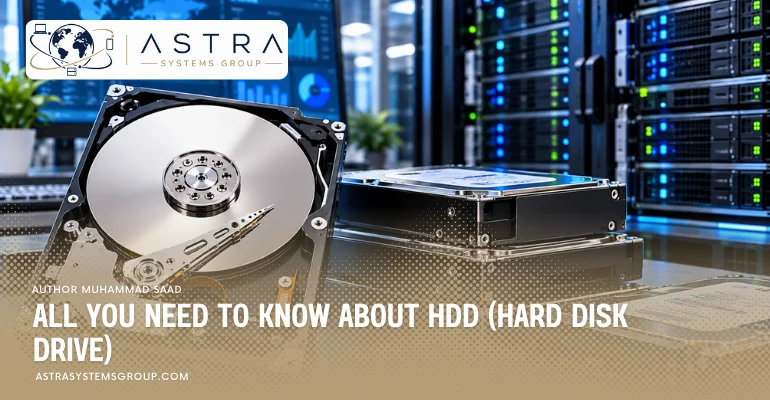

A hard disk drive is a non-volatile storage device that records digital data magnetically on rotating platters. An HDD reads and writes data through magnetic heads positioned by an actuator above spinning disks. Hard drives provide high storage capacity at a low cost per terabyte and serve desktop computers, external backup systems, NAS appliances, servers, surveillance systems, cloud platforms, and data centers.
HDD capacity, interface, rotational speed, cache, recording technology, workload rating, reliability, and form factor determine the suitable drive for consumer, business, server, and enterprise storage. Current HDD technology includes CMR, SMR, helium-filled designs, energy-assisted magnetic recording, and HAMR drives reaching 44 TB in hyperscale environments.
What is a Hard Disk Drive (HDD)?
A hard disk drive (HDD) is an electromechanical data storage device that stores files as magnetic patterns on one or more rotating platters. HDD storage remains non-volatile, so recorded data remains available without continuous electrical power. HDDs store operating systems, applications, databases, backups, media files, surveillance footage, and enterprise datasets.
For example, a 20 TB enterprise HDD can operate inside a storage server as part of a RAID array containing multiple drives, while a 4 TB external HDD can store workstation backups through a USB connection.
How does a hard disk drive work?
A hard disk drive works by spinning magnetic platters while an actuator positions read/write heads over specific tracks to record or retrieve binary data. The drive controller translates host commands into mechanical positioning and magnetic read/write operations.
- Receive command: The computer or server sends a read or write request through SATA, SAS, USB, or another storage interface.
- Locate data: The HDD controller identifies the platter location associated with the requested logical block.
- Rotate platters: The spindle motor rotates the magnetic platters, commonly at 5,400 or 7,200 RPM in current client and capacity-focused drives.
- Position heads: The voice-coil actuator moves the read/write heads across the platter surface toward the required track.
- Write data: The write head changes the magnetic orientation of microscopic areas on the platter.
- Read data: The read head detects magnetic patterns and converts the detected information into digital data.
- Buffer data: On-drive cache temporarily stores data during transfer between the HDD and host system.
- Transfer data: The drive controller sends retrieved data through its storage interface to the computer, RAID controller, server, or storage system.
What are the benefits of using a hard disk drive?
The main benefits of a hard disk drive are high capacity, low cost per terabyte, mature storage technology, repeated-write capability, and suitability for large sequential datasets. HDDs remain important where storage density and acquisition cost matter more than flash-level latency.
- Provides high capacity: Current HDD platforms extend from small client drives to 32 TB CMR drives and 44 TB hyperscale SMR drives.
- Reduces cost per terabyte: Magnetic storage generally provides greater capacity per dollar than solid-state storage.
- Supports repeated writes: Magnetic platters do not have the NAND program/erase-cycle mechanism used by SSD flash cells.
- Stores large sequential datasets: HDDs suit backups, media libraries, surveillance footage, archives, object storage, and data lakes.
- Supports RAID storage: Multiple HDDs operate together in RAID and software-defined storage architectures.
- Provides enterprise capacities: Enterprise HDDs combine high capacities with 24/7 operation, workload ratings, rotational-vibration protection, and server-oriented firmware.
- Scales storage density: Higher-capacity drives increase terabytes per server bay and per rack without adding an equal number of drives.
What are the components of a hard disk drive?
A hard disk drive contains platters, read/write heads, an actuator, voice-coil motor, spindle motor, controller electronics, cache, data connectors, power connectors, and a sealed enclosure. Mechanical components sit inside the head-disk assembly, while control electronics occupy the printed circuit board attached to the drive.
- Platters — inside the sealed drive enclosure: Circular disks coated with magnetic material store the recorded data.
- Read/write heads — above each active platter surface: Heads detect magnetic fields during reads and alter magnetic orientation during writes.
- Actuator arm — inside the enclosure: Moves the read/write heads across different platter tracks.
- Voice-coil motor — attached to the actuator: Positions the actuator with high precision.
- Spindle — center of the platter stack: Holds the platters and maintains their alignment.
- Spindle motor — beneath the platter assembly: Rotates the platters at the drive’s specified rotational speed.
- Controller PCB — underside of the HDD: Processes host commands, manages data transfer, controls motors, executes firmware, and handles error recovery.
- Cache — on the controller electronics: Temporarily buffers frequently accessed or transferred data. Current enterprise drives can include hundreds of megabytes or 1 GiB of cache.
- Data connector — rear edge of the drive: Connects the HDD to SATA, SAS, or another host interface.
- Power connector — rear edge of the drive: Supplies electrical power to the drive electronics and motors.
- Enclosure — around the head-disk assembly: Protects the precision mechanical components from contamination and physical contact.
What is the price range for hard disk drives?
Hard disk drive prices range from about $60 for lower-capacity or older internal HDDs to more than $1,500 for selected high-capacity enterprise models in current U.S. listings. Capacity, interface, workload class, recording technology, warranty, condition, manufacturer, and supply channel create substantial price differences.
As of October 2026, current U.S. listings show 1 TB internal drives from about $60-$120, 2 TB desktop drives from roughly $70-$170, and 8 TB consumer or NAS drives around $250-$380.
High-capacity enterprise pricing extends further. Current 20 TB SATA and SAS listings span roughly $700-$1,500, depending on model, seller, warranty, and qualification. Enterprise OEM, server-certified, new, used, and refurbished drives can carry materially different prices despite having the same raw capacity.
What is the highest capacity of HDD?
The highest verified HDD capacity in production-scale hyperscale deployment is 44 TB, provided by Seagate’s HAMR-based Mozaic 4+ platform; Seagate lists 32 TB, 36 TB, and 44 TB SMR Exos capacities, while 32 TB HAMR CMR drives are available through channel and retail partners.
The 44 TB figure requires an important distinction. Seagate’s 44 TB drives target qualified hyperscale deployments rather than ordinary desktop retail. WD also announced a 40 TB UltraSMR ePMR HDD in hyperscale qualification in February 2026, while its broadly documented Ultrastar HC690 platform reaches 32 TB.
What is the difference between internal and external hard drives?
The difference between internal and external hard drives is their installation location, host connection, portability, enclosure, and power arrangement. An internal HDD connects directly inside a computer, server, or storage appliance, while an external HDD places the drive inside a portable or desktop enclosure connected to an external port.
| Attribute | Internal HDD | External HDD |
|---|---|---|
| Location | Inside computer, server, NAS, or storage enclosure | Outside the host device |
| Common interface | SATA or SAS | USB; some professional systems use other external interfaces |
| Power | Internal system power connector | USB bus power or separate external adapter |
| Installation | Requires compatible bay, connector, and cabling | Connects through an external port |
| Portability | Designed to remain installed | Designed for movement between compatible systems |
| Typical form factor | 2.5-inch or 3.5-inch | Portable or desktop external enclosure |
| Common use | Primary storage, servers, RAID, NAS, surveillance | Backup, file transfer, media libraries, archive |
What is the difference between HDD (Hard Disk Drive) and SSD (Solid State Drive)?
The difference between HDD and SSD is the storage medium and access mechanism: HDDs store data magnetically on rotating platters, while SSDs store data electronically in non-volatile semiconductor memory. This structural difference affects latency, throughput, capacity economics, noise, shock resistance, and power consumption.
| Attribute | HDD | SSD |
|---|---|---|
| Storage medium | Magnetic platters | NAND flash memory |
| Moving parts | Platters, spindle motor, actuator | None |
| Data access | Mechanical and magnetic | Electronic |
| Latency | Higher | Lower |
| Random I/O | Lower | Higher |
| Cost per TB | Lower | Higher |
| Maximum current HDD capacity | Up to 44 TB in hyperscale deployments | Capacity depends heavily on SSD class and form factor |
| Noise | Audible mechanical operation | Silent solid-state operation |
| Shock sensitivity | Higher during operation | Lower |
| Main strength | High-capacity economical storage | Low-latency high-performance storage |
| Data-center role | Capacity, archive, object storage, data lakes | Databases, caching, high-IOPS applications, active AI workloads |
What is the lifespan of a hard disk drive?
A hard disk drive has no fixed lifespan, although many drives operate for more than 4 or 5 years before retirement or failure. Drive age, model, operating temperature, vibration, workload, power cycles, manufacturing variation, and storage environment affect actual service life.
Backblaze’s Q2 2026 dataset covered 354,415 data drives and recorded a 1.73% quarterly annualized failure rate and 1.41% lifetime AFR across its qualifying population. These figures describe a large data-center fleet rather than the guaranteed lifespan of an individual HDD.
Long-term Backblaze observations also show why calendar age alone is insufficient. Earlier survival analysis found about 90% of observed drives surviving 4 years and about 65% surviving beyond 6 years in that specific operating population. Drive reliability varies by model and environment.
Enterprise specifications use additional measures such as workload rate, annualized failure rate, warranty period, and MTBF. Toshiba’s current MG enterprise drives, for example, specify 550 TB/year workloads, 24/7 operation, a 5-year warranty, and 2.5 million-hour MTBF figures for applicable models. MTBF is a population-level reliability statistic, not an individual drive’s predicted lifetime.
What are the common uses of hard disk drives?
Hard disk drives serve desktop storage, backup, NAS, surveillance, servers, media repositories, archives, cloud infrastructure, object storage, data lakes, and enterprise capacity tiers.
- Store desktop data: HDDs retain applications, documents, media, downloads, and other high-capacity local files.
- Store backups: Internal and external HDDs provide local backup and recovery capacity.
- Store NAS data: NAS systems use multiple HDDs for shared business, home, and departmental storage.
- Store surveillance video: Surveillance drives record continuous streams from security cameras and network video recorders.
- Store server data: Server HDDs hold application data, files, backups, and shared storage volumes.
- Store archive data: High-capacity drives retain information that requires availability but not SSD-level access latency.
- Store cloud data: Hyperscale systems deploy large HDD fleets for economical storage of extensive datasets.
- Store object data: Scale-out object-storage platforms distribute data across large numbers of high-capacity drives.
- Store AI datasets: HDD capacity tiers retain raw training data, generated content, logs, checkpoints, and data-lake information outside performance-sensitive flash tiers.
- Store media libraries: Video, photography, audio, broadcast, and content-production systems use HDDs for large sequential files.
What are the advantages and disadvantages of hard disk drives?
Hard disk drives provide high capacity and low storage cost but have higher latency, mechanical wear, vibration, noise, and shock sensitivity than SSDs. These characteristics make HDDs stronger for capacity-oriented storage than latency-sensitive applications.
Advantages of HDDs include:
- High capacity: Current enterprise HDD technology reaches 32 TB CMR and 44 TB hyperscale SMR capacity points.
- Low cost per terabyte: HDD storage remains economically suitable for multi-petabyte deployments.
- High storage density: Large drives increase usable rack capacity without increasing drive count proportionally.
- Mature infrastructure: SATA and SAS HDDs operate across established server, NAS, RAID, and data-center platforms.
- Repeated magnetic writes: HDD platters do not consume NAND program/erase cycles during writes.
- Large sequential storage: HDDs fit backup, archive, surveillance, object storage, and other high-volume workloads.
Disadvantages of HDDs include:
- Higher access latency: Mechanical head movement and platter rotation delay random data access.
- Lower IOPS: HDDs process fewer random input/output operations than enterprise SSDs.
- Mechanical sensitivity: Strong shock or vibration can interfere with precision mechanical parts.
- Operating noise: Motors and actuator movement create sound.
- Greater physical size: Most high-capacity enterprise HDDs use a 3.5-inch form factor.
- Higher performance-tier power demand: Large HDD arrays require power for spindle motors, drive electronics, and cooling.
- Mechanical failure modes: Motors, bearings, actuator systems, heads, electronics, or recording media can fail.
What are the common interfaces of hard disk drives?
The common hard disk drive interfaces are SATA, SAS, and USB, while Fibre Channel, parallel SCSI, and PATA/IDE belong mainly to specialized or older storage generations. Current enterprise 3.5-inch drives commonly use SATA 6 Gb/s or SAS 12 Gb/s connections.
- SATA: Serial ATA provides a common internal connection for desktops, workstations, NAS systems, surveillance equipment, and many enterprise capacity drives. Current HDDs commonly use SATA 6 Gb/s.
- SAS: Serial Attached SCSI provides a server-oriented interface with features such as dual-port connectivity. Current enterprise SAS HDDs commonly support 12 Gb/s interface rates.
- USB: USB connects external portable and desktop HDDs to computers, workstations, and other host devices.
- Fibre Channel: Fibre Channel appeared in specialized enterprise storage systems and remains relevant mainly to particular storage architectures and legacy environments.
- PATA/IDE: Parallel ATA connected older desktop and laptop hard drives before SATA became standard.
- Parallel SCSI: Parallel SCSI served earlier workstations and servers before SAS replaced it in modern direct-attached enterprise storage.
What is a server hard drive?
A server hard drive is an HDD configured for sustained operation in servers, RAID arrays, NAS appliances, and multi-drive storage systems. Server-class drives commonly add 24/7 operating support, higher workload ratings, vibration control, error-recovery behavior, larger caches, hot-plug support, and SATA or SAS interfaces.
A server HDD differs from a basic desktop HDD mainly through workload design. Multi-drive servers create sustained I/O and rotational vibration that desktop systems generally do not reproduce. Enterprise models therefore incorporate features such as rotational-vibration sensors and server-oriented firmware. Toshiba’s enterprise MG Series supports 24/7 operation and workloads up to 550 TB per year.
Server HDDs commonly operate as members of RAID 1, RAID 5, RAID 6, RAID 10, erasure-coded, or software-defined storage groups rather than as isolated disks. Redundancy protects system availability from individual drive failures; it does not make a single HDD failure-proof.
See The Best Top 10 Enterprise Server Hard Drive.
What is an enterprise hard disk drive?
An enterprise hard disk drive is a high-capacity HDD engineered for continuous data-center, cloud, server, and storage-array workloads with higher workload ratings and reliability specifications than ordinary client drives.
Enterprise HDD specifications commonly include:
- 24/7 operation: Drives operate continuously in always-on infrastructure.
- High workload ratings: Current enterprise capacity drives commonly reach 550 TB of host workload per year.
- High capacities: Current channel products reach 32 TB CMR, while specialized hyperscale products extend to 44 TB SMR.
- 7,200 RPM operation: Capacity-focused enterprise HDDs commonly use 7,200 RPM spindle speeds.
- SATA or SAS connectivity: SATA 6 Gb/s and dual-port SAS 12 Gb/s serve different server architectures.
- Rotational-vibration protection: Sensors compensate for vibration produced in dense multi-drive enclosures.
- Hot-plug capability: Compatible servers replace drives without powering down the entire storage system.
- Data-security options: Self-encrypting drive and sanitize functions protect enterprise data.
- Longer warranties: Many enterprise capacity drives carry 5-year limited warranties.
- Reliability specifications: Selected current models specify 2.5 million-hour MTBF and 0.35% AFR values under defined conditions.
What capacity of HDD is best for data centers and enterprise storage?
The best HDD capacity for general enterprise storage is 20 TB to 32 TB per drive for current high-density CMR deployments, while 32 TB to 44 TB SMR drives fit hyperscale environments with compatible storage software. Capacity selection depends on rack density, rebuild time, workload pattern, redundancy, interface, recording method, power budget, and cost per terabyte.
Current enterprise capacity classes divide into several practical groups:
- 8 TB-16 TB: Fits existing servers, smaller arrays, backup systems, surveillance storage, and installations where replacement compatibility matters more than maximum density.
- 18 TB-24 TB: Fits general data-center storage, NAS, backup repositories, object storage, and high-capacity RAID arrays. Toshiba’s enterprise MG platform reaches 24 TB CMR with SATA and SAS options and a 550 TB/year workload rating.
- 28 TB-32 TB CMR: Fits modern high-density enterprise storage without the host-managed write behavior associated with high-capacity SMR. Seagate currently offers 28 TB, 30 TB, and 32 TB HAMR CMR capacity classes.
- 30 TB-32 TB SMR: Fits controlled-write, sequential, nearline, archive, and data-retention architectures designed for SMR behavior. WD’s Ultrastar DC HC690 provides 30 TB and 32 TB UltraSMR capacities.
- 36 TB-44 TB SMR/HAMR: Fits hyperscale object storage, AI data lakes, large archives, cloud capacity tiers, and software-defined storage environments designed around zoned or controlled writes. Seagate’s Mozaic platform extends to 44 TB in hyperscale deployments.