
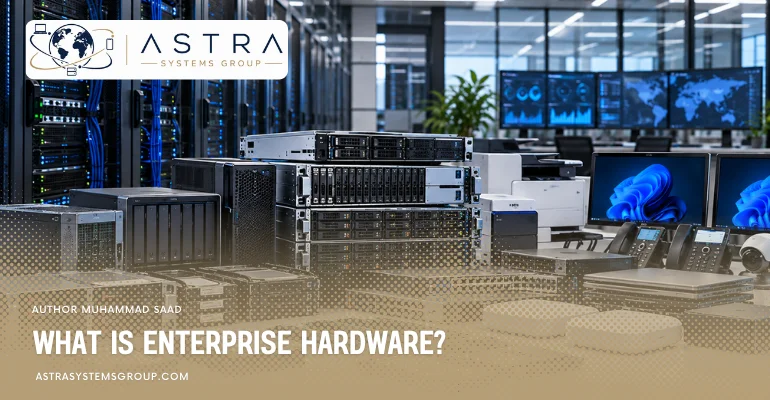

Enterprise hardware is physical IT equipment designed to support business applications, users, data, and network operations at organizational scale. It ranges from employee computers to servers and storage systems that run applications behind them, while network equipment connects these resources across offices, data centres, and cloud environments.
Enterprise equipment differs from ordinary consumer hardware through stronger reliability, centralized management, security, redundancy, serviceability, and capacity for growth. Modern organizations also use virtualization to divide physical resources among multiple workloads, while hardware lifecycle management covers procurement, deployment, maintenance, upgrades, security, and retirement.
The right enterprise hardware therefore depends on the workload it supports, the number of users it serves, the level of availability required, and how the infrastructure is expected to grow.
What does enterprise hardware include?
Enterprise hardware includes the physical equipment a business uses to provide computing, data storage, connectivity, security, and user access. A small organization may use business laptops, a local server, switches, and backup storage, while a larger organization may operate hundreds of servers and storage systems across several data centres.
The hardware becomes part of a broader IT infrastructure when operating systems, business applications, databases, virtualization platforms, and management software run on these physical resources. IBM defines IT infrastructure as the combination of hardware, software, and networking components used to operate an enterprise IT environment.
What are the examples of enterprise hardware?
Common examples of enterprise hardware include business laptops, professional workstations, rack servers, blade servers, storage arrays, network switches, routers, firewalls, wireless access points, backup appliances, and uninterruptible power systems.
The equipment used by one organization depends on its operations. An engineering company may deploy powerful workstations for design software. An online business may rely more heavily on servers and network infrastructure. A bank can use mainframes for high-volume transactions, while a company operating virtual machines may concentrate workloads on high-memory servers connected to shared storage.
What are the types of enterprise hardware?
The types of enterprise hardware are endpoint hardware, server hardware, storage hardware, network hardware, security hardware, and data-centre infrastructure. These categories describe where the equipment operates and what business function it provides.
- Endpoint hardware serves individual employees. Business laptops, desktops, thin clients, and workstations belong to this category.
- Server hardware runs shared applications, databases, virtual machines, websites, identity systems, and other centralized workloads.
- Storage hardware retains and protects operational data, backups, archives, and shared files.
- Network hardware connects users and infrastructure across local networks, branch locations, data centres, and external networks.
- Security hardware controls or inspects access and network traffic through devices such as security gateways and hardware appliances.
- Data-centre hardware supports the physical environment around IT systems through racks, power distribution, backup power, cabling, and cooling.
Why do businesses use enterprise hardware?
Businesses use enterprise hardware because business systems often require more availability, management control, expansion capacity, and service continuity than consumer equipment provides. Enterprise-grade systems can include redundant components, centralized management, stronger security controls, replaceable parts, and configurations designed for continuous workloads.
A failed home computer usually affects one user. A failed server can affect hundreds of employees or an entire customer-facing application. Enterprise hardware therefore places greater emphasis on reducing downtime and allowing damaged components to be repaired or replaced with minimal disruption.
How is enterprise hardware different from consumer hardware?
Enterprise hardware and consumer hardware differ mainly in workload, reliability, management, support, and lifecycle requirements. Consumer devices normally serve individual users, while enterprise systems operate as part of managed business infrastructure. IBM describes enterprise-grade equipment as more robust than consumer hardware, with greater reliability, redundancy, and advanced management capabilities.
| Area | Enterprise hardware | Consumer hardware |
|---|---|---|
| Main use | Business operations and shared workloads | Personal computing and home use |
| Workload | Sustained or multi-user workloads | Primarily individual-user workloads |
| Reliability | Designed around higher availability requirements | Designed around normal personal use |
| Redundancy | Common in servers, storage, and power systems | Limited in most consumer systems |
| Management | Centralized and remote management is common | Mainly managed by the individual user |
| Expansion | Designed for planned capacity growth | Usually has more limited expansion requirements |
| Maintenance | Replaceable and serviceable parts are common | Repair options vary by device |
| Support | Business support contracts can cover critical operations | Standard consumer warranty and support |
| Lifecycle | Managed through procurement, deployment, refresh, and retirement | Usually replaced according to individual needs |
What is enterprise hardware virtualization?
Enterprise hardware virtualization allows one physical computer to provide resources to several separate virtual systems. A hypervisor allocates processor capacity, memory, storage, and networking resources from the physical host to virtual machines.
Server virtualization reduces the requirement to dedicate one physical server to each application. Several isolated virtual machines can operate on one physical server, each running its own operating system and applications. This approach is now a core part of enterprise data centres and cloud computing.
Virtualization does not remove the need for enterprise hardware. It changes how physical hardware is used. Processor capacity, memory, network bandwidth, and storage performance still determine how many workloads the underlying system can support.
What is hyperconverged enterprise hardware?
Hyperconverged infrastructure combines computing, storage, networking, and virtualization into a software-managed system built from standardized server hardware. Instead of maintaining separate hardware platforms for each infrastructure function, organizations can add additional nodes as capacity requirements grow.
This model is commonly used where an organization wants on-premises infrastructure with simpler scaling and management than a traditional arrangement of separate servers and storage platforms.
How is enterprise hardware secured?
Enterprise hardware security covers the device itself and the supply chain through which the device reaches the organization. Security can begin with hardware-backed trust functions and continue through firmware protection, access control, configuration management, monitoring, and controlled retirement.
Supply-chain integrity is particularly important because computing devices can face risks such as counterfeiting, unauthorized modification, tampering, theft, or unexpected components. NIST recommends greater visibility into device provenance and methods for verifying that acquired computing equipment contains genuine, expected components.
In 2026, NIST also identified hardware security as a lifecycle issue extending from semiconductor design and manufacturing through deployment, operation, and end-of-life. This makes hardware sourcing and traceability part of enterprise security rather than only a purchasing concern.
What is the enterprise hardware lifecycle?
The enterprise hardware lifecycle covers the period from planning and procurement through installation, operation, maintenance, refresh, and final retirement. Hardware decisions therefore continue after the initial purchase.
A typical lifecycle includes:
- Plan the workload and required capacity.
- Select hardware that matches technical and business requirements.
- Source equipment through approved manufacturers, distributors, or resellers.
- Verify the received devices and component configuration.
- Configure and deploy the hardware.
- Monitor performance, condition, firmware, and capacity.
- Repair, replace, or expand components as requirements change.
- Refresh equipment when capacity, support, security, or reliability no longer meets requirements.
- Remove business data and retire or recycle the hardware through an appropriate process.
NIST treats hardware security and supply-chain controls as concerns across the complete lifecycle, including operational use and end-of-life.
What is refurbished enterprise hardware?
Refurbished enterprise hardware is previously deployed business IT equipment that has been inspected, tested, repaired where necessary, and prepared for another operational cycle. Servers, storage systems, workstations, switches, processors, memory, and other enterprise components can remain useful after their original deployment when their condition and specifications still match the new workload.
Refurbished hardware is not automatically equivalent to new hardware. Buyers need to examine component condition, configuration, remaining manufacturer support, firmware compatibility, warranty, authenticity, and the testing process used by the supplier.
For infrastructure with strict security requirements, equipment provenance also matters. NIST identifies component authenticity and device integrity as important parts of trustworthy computing-device acquisition.
What does an enterprise hardware reseller do?
An enterprise hardware reseller sources IT equipment and supplies it to businesses that need specific infrastructure configurations, quantities, replacement parts, or lifecycle support. The reseller sits between technology manufacturers or distribution channels and the organization deploying the equipment.
The role can extend beyond supplying a product. Enterprise customers may require configuration matching, compatible components, bulk procurement, discontinued hardware, replacement units, warranty information, logistics, asset identification, or equipment for mixed-vendor environments.
A reseller therefore becomes most relevant when the purchasing requirement involves more than selecting a single retail computer. Server, storage, networking, workstation, and data-centre purchases often depend on compatibility with infrastructure that an organization already operates.
What are the current trends in enterprise hardware?
Enterprise hardware in 2026 is increasingly shaped by AI computing, virtualization, hybrid infrastructure, faster data-centre networking, and stronger hardware security requirements. IBM identifies GPU servers and AI accelerators as increasingly common parts of business infrastructure as organizations deploy machine-learning and AI workloads.
Data-centre networks are also changing to handle higher traffic between servers. Cisco identifies high-speed network fabrics, automated management, and modern leaf-spine architectures as important parts of current data-centre design.
At the same time, organizations continue to combine physical infrastructure with virtualization and cloud services rather than replacing enterprise hardware completely. This produces hybrid environments in which on-premises systems support workloads that require local performance, control, existing infrastructure, or specific operational characteristics.
How to choose enterprise hardware?
Choose enterprise hardware according to the workload first, then calculate the processing, memory, storage, network, availability, security, and expansion capacity required to support that workload. The correct system is the one that fits the operating requirement rather than the one with the largest specification.
For employee computing, examine the applications people use, expected device life, portability, management requirements, and connectivity. For servers, examine processor demand, memory use, virtualization density, storage access, network throughput, and availability. For storage, calculate usable capacity, performance, data growth, backup requirements, and recovery objectives. For networking, measure the number of connected systems, traffic volume, network design, required bandwidth, and redundancy.
Compatibility also affects the purchase. The hardware needs to work with existing operating systems, applications, rack space, power capacity, network interfaces, storage protocols, management platforms, and replacement components.