

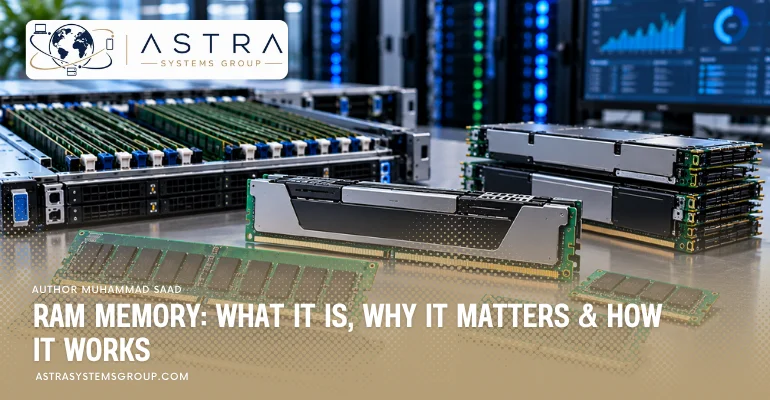

RAM (Random Access Memory) is a volatile computer memory that temporarily stores data, applications, and instructions required by the processor. RAM works through electronic memory cells that provide rapid data access while the computer operates. Its capacity, speed, generation, form factor, and memory channels influence multitasking, application responsiveness, gaming, and server performance. Modern computers use DDR4, DDR5, or LPDDR memory, while enterprise servers use ECC-enabled RDIMM, LRDIMM, and MRDIMM configurations. Memory capacities range from a few gigabytes in personal computers to multiple terabytes in enterprise servers, depending on processor architecture and hardware compatibility.
What Is RAM?
RAM (Random Access Memory) is the primary working memory of a computer that holds active programs, instructions, and data for immediate processor access. RAM is volatile, meaning stored information disappears when electrical power is removed. For example, a computer with 16GB of RAM can hold its operating system, browser tabs, documents, and other active application data in memory.
How Does RAM Work?
RAM works by storing digital information in addressable semiconductor memory cells that the processor accesses through a memory controller. Most system RAM uses dynamic random-access memory (DRAM), which stores bits as electrical charges in capacitor-based cells and requires periodic refreshing.
- Load data: The operating system transfers required application code and data from an SSD or HDD into RAM.
- Address memory: The memory controller identifies the memory location associated with a read or write request.
- Read data: DRAM circuits detect the stored cell states and deliver information through the memory interface.
- Write data: The memory controller updates selected memory cells with new binary information.
- Refresh cells: DRAM refresh operations restore electrical charges to preserve stored information during operation.
- Release memory: The operating system reallocates memory when applications close or stored data becomes unnecessary.
What Does RAM Do in a PC?
RAM in a PC temporarily stores operating-system processes, application instructions, and working data while the processor executes tasks. RAM supports browser sessions, document editing, gaming, video processing, and simultaneous applications. Larger RAM capacity permits more active data to remain in physical memory instead of relying on slower SSD or HDD storage.
What Are the Types of RAM?
The main types of RAM are Static RAM (SRAM) and Dynamic RAM (DRAM). Modern computers use DRAM technologies such as DDR4, DDR5, and LPDDR, while processors primarily use SRAM for internal cache memory.
- SRAM (Static RAM): Uses transistor-based circuits to retain bits while powered and commonly serves CPU cache applications.
- DRAM (Dynamic RAM): Stores data in capacitor-based cells and provides the main system memory in computers and servers.
- DDR4 RAM: Fourth-generation Double Data Rate SDRAM with standard transfer rates from 2,133 to 3,200 MT/s.
- DDR5 RAM: Fifth-generation DDR SDRAM with greater bandwidth, increased density, dual subchannels, and on-module power management.
- LPDDR RAM: Low-Power Double Data Rate memory designed for laptops, smartphones, tablets, and power-sensitive computing platforms.
- ECC RAM: Memory configured to support error detection and correction through a compatible memory controller.
- Registered RAM: Server-oriented memory using a register to buffer command and address signals, supporting larger memory configurations.
Why Is RAM Important?
RAM is important because it supplies high-speed working memory for the CPU and reduces dependence on slower storage devices during active computing. Sufficient RAM capacity supports multitasking, application responsiveness, large files, virtual machines, and memory-intensive processing. Limited RAM increases memory paging and can reduce performance.
What Are the Benefits of RAM?
The main benefits of RAM are fast data access, multitasking support, application performance, temporary data processing, and reduced storage access during active workloads.
- Provides rapid access: RAM retrieves active data with much lower latency than SSDs and HDDs.
- Supports multitasking: RAM maintains several applications and background processes simultaneously.
- Supports gaming: RAM holds game data, application instructions, and active system resources.
- Supports professional applications: RAM accommodates video projects, design files, simulations, and analytical datasets.
- Supports virtualization: Additional memory allows servers to allocate resources to more virtual machines.
- Reduces storage paging: Sufficient physical memory limits unnecessary transfers between RAM and secondary storage.
What Is the Difference Between RAM and ROM?
The difference between RAM and ROM is data retention and intended function. RAM is volatile, read/write memory used for active processing, while ROM (Read-Only Memory) is non-volatile memory associated with stored firmware or fixed instructions. Modern firmware commonly resides in rewritable flash memory rather than traditional fixed ROM.
How Is RAM Different Than Hard Drive Memory?
RAM differs from hard drive storage in volatility, access speed, capacity, and data retention. RAM temporarily holds active information, while HDDs permanently store files through magnetic recording.
| Feature | RAM | Hard Disk Drive |
|---|---|---|
| Memory classification | Primary memory | Secondary storage |
| Data retention | Volatile | Non-volatile |
| Access mechanism | Electronic memory cells | Magnetic rotating platters |
| Access speed | Much faster | Slower |
| Typical capacity | GB to TB, depending on system | TB per drive |
| Main function | Active data and processing | Long-term file storage |
| Data after shutdown | Lost | Retained |
What Are the Components of RAM?
RAM modules contain DRAM chips, a printed circuit board, electrical contacts, and configuration memory, with additional registers, power-management circuits, ECC chips, or heat spreaders depending on module design.
- DRAM chips — mounted on the module PCB: Store temporary information in semiconductor memory cells.
- Printed Circuit Board (PCB) — main module structure: Connects DRAM packages and electronic components through conductive pathways.
- Edge contacts — bottom of the module: Provide electrical connections between the memory module and motherboard socket.
- SPD memory — on the module: Stores module identification, memory timing, capacity, and configuration information.
- Power Management IC — on DDR5 modules: Regulates electrical power supplied to memory components.
- Register Clock Driver — on RDIMMs: Buffers command and address signals for supported server memory architectures.
- ECC components — on applicable modules: Provide additional check bits used by compatible memory controllers for error correction.
- Heat spreader — on selected modules: Distributes heat from memory components across a larger surface.
What Are the Form Factors of RAM?
The common RAM form factors are DIMM, SO-DIMM, CUDIMM, CSODIMM, CAMM2, and specialized server memory modules. Their physical dimensions, electrical designs, and compatibility differ according to computer architecture.
- DIMM: Full-size Dual In-Line Memory Module used in desktops, workstations, and servers.
- SO-DIMM: Small Outline DIMM used in laptops, compact computers, and small-form-factor systems.
- CUDIMM: Clocked Unbuffered DIMM designed for supported high-speed DDR5 desktop platforms.
- CSODIMM: Clocked SO-DIMM designed for compatible compact DDR5 systems.
- CAMM2: Compression Attached Memory Module that uses a flat, compression-mounted connection.
- RDIMM: Registered DIMM used in compatible enterprise servers and professional workstations.
- LRDIMM: Load-Reduced DIMM designed to support high-capacity memory configurations on compatible server platforms.
- MRDIMM: Multiplexed-Rank DIMM that increases effective memory bandwidth on supported server processors.
How Much RAM Capacity Can One Module Hold?
A RAM module commonly holds 4GB to 64GB in client systems and 16GB to 256GB in high-capacity enterprise server configurations, depending on memory generation and module architecture.
Consumer DDR5 module capacities include 8GB, 16GB, 24GB, 32GB, 48GB, and 64GB. Enterprise DDR5 RDIMMs include 32GB, 64GB, 96GB, 128GB, and specialized 256GB configurations. Micron announced sampling of a 256GB DDR5 RDIMM in May 2026, while high-capacity MRDIMM products also reach 256GB.
What Is the Maximum Total RAM Capacity of a Computer?
The maximum total RAM capacity of a computer depends on processor memory limits, motherboard slots, supported module density, memory architecture, and firmware. Compatible DDR5 desktops can reach 256GB using four 64GB modules, while enterprise servers can support several terabytes.
For example, Lenovo documents up to 3TB of RAM using twelve 256GB RDIMMs in supported ThinkSystem SR655 V3 configurations. Other server platforms support 4TB, 8TB, or different maximum capacities.
How Fast Is RAM Memory?
RAM speed is measured in megatransfers per second (MT/s), while total memory bandwidth is measured in GB/s. Standard DDR4 commonly operates from 2,133 to 3,200 MT/s, while DDR5 starts at 4,800 MT/s and extends to higher rates on compatible platforms.
The following values represent theoretical bandwidth for a 64-bit data path.
| Memory speed | Theoretical bandwidth |
|---|---|
| DDR4-2400 | 19.2 GB/s |
| DDR4-3200 | 25.6 GB/s |
| DDR5-4800 | 38.4 GB/s |
| DDR5-5600 | 44.8 GB/s |
| DDR5-6400 | 51.2 GB/s |
| DDR5-8000 | 64 GB/s |
| DDR5-8800 | 70.4 GB/s |
How Is RAM Measured?
RAM is measured through capacity in GB or TB, transfer rate in MT/s, bandwidth in GB/s, and latency in clock cycles or nanoseconds. Memory specifications also include voltage, rank configuration, ECC support, and DDR generation.
For example, DDR5-6000 CL30 describes a memory data rate of 6,000 MT/s and CAS latency of 30 clock cycles. Its corresponding CAS latency is approximately 10 nanoseconds at the specified transfer rate.
What Is a Gigabyte of RAM?
A gigabyte (GB) of RAM is 1 billion bytes of memory capacity, while a gibibyte (GiB) contains 1,073,741,824 bytes. RAM capacity determines how much active application data a computer can hold in physical memory.
A computer with 16GB RAM has twice the nominal physical memory capacity of a computer with 8GB RAM, although performance depends on actual memory demand and other hardware.
What Is Server Memory?
Server memory is RAM designed for compatible server platforms that require continuous operation, scalable capacity, and strong data-integrity features. Server memory commonly uses ECC-protected DDR4 or DDR5 RDIMMs, LRDIMMs, or MRDIMMs.
Server memory supports database processing, virtualization, cloud computing, shared applications, and multi-user workloads. Common enterprise module capacities include 32GB, 64GB, 96GB, 128GB, and higher-density configurations.
ECC enables compatible systems to detect and correct specified memory errors. DDR5 on-die ECC differs from system-level ECC because on-die ECC protects data inside the DRAM chip, while system-level ECC also protects the wider memory data path.
What Is Enterprise Memory?
Enterprise memory is high-capacity, reliability-focused RAM configured for business-critical servers, data centers, virtualization clusters, databases, and high-performance computing systems. Enterprise configurations prioritize ECC protection, memory bandwidth, balanced channel population, compatibility, and predictable performance.
Enterprise memory commonly includes:
- ECC RDIMM: Registered memory with error correction for mainstream enterprise servers.
- LRDIMM: Load-reduced memory for compatible high-density server configurations.
- MRDIMM: Higher-bandwidth DDR5 memory for supported AI, HPC, and database platforms.
- High-capacity DDR5: Memory modules with 64GB, 96GB, 128GB, or 256GB capacity for supported systems.
- Multi-channel configurations: Balanced memory population across processor channels for aggregate bandwidth.
- OEM-qualified memory: Modules validated for specific Dell PowerEdge, HPE ProLiant, Lenovo ThinkSystem, or other server platforms.
How Much RAM Do You Need?
The amount of RAM required depends on operating-system requirements, application memory consumption, simultaneous workloads, and planned capacity growth. Personal computers commonly use 8GB to 32GB, professional workstations often use 32GB to 128GB, and enterprise servers range from tens of gigabytes to several terabytes.
| Computing workload | Practical RAM capacity |
|---|---|
| Basic browsing and documents | 8–16GB |
| General office and multitasking | 16GB |
| Modern gaming | 16–32GB |
| Professional content creation | 32–64GB |
| Advanced workstation workloads | 64–128GB or more |
| Small application server | 32–64GB |
| Virtualization and database server | 128–512GB or more |
| Large enterprise and in-memory computing | 512GB–several TB |
How Much RAM Do I Need for Gaming?
Most modern gaming PCs benefit from 16GB to 32GB of RAM, with 32GB providing additional capacity for demanding games, background applications, and gaming-related multitasking. Kingston identified 32GB as an increasingly relevant gaming configuration in its April 2025 memory guidance.
Games running alongside streaming software, browser sessions, recording tools, and modifications can consume more memory than gaming alone. Graphics performance also depends on the GPU, CPU, and dedicated video memory.
How Much RAM Do I Need for Working?
Working computers commonly require 16GB RAM for office productivity and 32GB to 64GB for professional multitasking, video editing, large spreadsheets, development, and design applications.
Basic tasks such as email, presentations, web applications, and document editing generally consume less RAM than 4K video production, engineering simulations, CAD, large datasets, and software development environments.
How Much RAM Do I Need for Enterprise Performance?
Enterprise servers commonly require 64GB to 512GB of RAM for application hosting, databases, and virtualization, while larger analytics, AI, and in-memory computing workloads can require 1TB to several terabytes.
- 64–128GB: Small business servers, file services, directory services, and moderate application workloads.
- 128–256GB: Virtualization hosts, medium databases, application servers, and multi-user platforms.
- 256–512GB: Higher-density virtualization, large databases, and analytical applications.
- 512GB–1TB: Large database servers, virtual desktop infrastructure, and memory-intensive applications.
- 1–4TB or more: Large-scale virtualization, in-memory databases, data analytics, and high-performance computing.
What Is Virtual Memory?
Virtual memory is an operating-system memory-management mechanism that maps process address spaces to physical RAM and can transfer less-active memory pages to SSD or HDD storage. Windows uses page files, while Linux and macOS use swap mechanisms. Disk-backed paging supports workloads exceeding available RAM but operates more slowly than direct physical-memory access.
How to Know If It’s Time to Upgrade RAM?
To know whether RAM requires upgrading, monitor memory utilization, available memory, paging activity, and application responsiveness during normal workloads. Repeated physical-memory saturation and increased disk paging indicate a potential RAM capacity limitation.
What Are the Signs You Need More RAM?
There are 6 common signs of insufficient RAM, including slow multitasking, application delays, high memory utilization, excessive paging, memory allocation errors, and reduced responsiveness during demanding tasks.
- Slow multitasking: Application switching becomes delayed when several programs remain active.
- Frequent application delays: Programs stall while the operating system retrieves paged data from storage.
- High memory utilization: RAM usage repeatedly approaches installed physical capacity.
- Excessive disk activity: Paging creates additional SSD or HDD activity during memory-intensive tasks.
- Memory-related errors: Applications report insufficient memory or terminate because requested allocations fail.
- Reduced workstation performance: Large design files, virtual machines, and editing applications exceed available memory.
These symptoms can also originate from CPU, storage, software, or thermal limitations. Resource monitoring identifies the actual bottleneck.
How to Determine How Much RAM You Have
To determine installed RAM capacity, check system information or the operating system’s memory-performance utility.
- Windows 11: Open Settings > System > About and locate Installed RAM.
- Windows Task Manager: Press Ctrl + Shift + Esc, select Performance > Memory, and review total capacity, usage, speed, and available hardware information.
- macOS: Open Apple menu > About This Mac or System Settings > General > About to review installed or unified memory.
- Linux: Run
free -hor examine/proc/meminfofor total and available system memory. - Enterprise servers: Open the BIOS/UEFI memory inventory or the manufacturer’s management interface, such as Dell iDRAC or HPE iLO, to inspect module capacities and installed DIMM locations.
How to Choose RAM?
To choose RAM, match the memory generation, capacity, form factor, speed, ECC requirements, module type, and total memory limit to the processor and motherboard.
- Check DDR compatibility: DDR4 and DDR5 modules use different electrical interfaces and are not interchangeable.
- Check form factor: Match DIMM, SO-DIMM, CAMM2, or other supported physical designs.
- Check module capacity: Select supported 8GB, 16GB, 32GB, 64GB, 128GB, or other capacities.
- Check memory speed: Compare rated MT/s with processor and motherboard specifications.
- Check memory channels: Populate compatible channels according to the manufacturer’s recommended configuration.
- Check ECC support: Match ECC UDIMM, RDIMM, LRDIMM, or MRDIMM requirements to the server platform.
- Check firmware compatibility: Verify supported memory ranks, DRAM density, module specifications, and BIOS/UEFI requirements.
Does More RAM Always Mean Better Performance?
More RAM does not always produce higher performance. Additional capacity benefits applications when installed RAM limits active data. Once sufficient memory exists, performance depends more on processor speed, memory bandwidth, latency, storage, graphics hardware, and application architecture.
For example, upgrading from 8GB to 16GB can materially affect memory-constrained multitasking, while upgrading from 32GB to 64GB provides little benefit for applications using substantially less than 32GB.
What Is the Price Range of RAM?
RAM prices depend on DDR generation, capacity, transfer rate, CAS latency, module type, ECC support, manufacturer, and market supply.
U.S. retail memory prices increased sharply during 2026. The Tom’s Hardware RAM price index dated October 12, 2026, listed approximately:
| Memory configuration | Lowest tracked U.S. listing |
|---|---|
| 16GB DDR4-3200 kit | $102 |
| 32GB DDR4-3200 kit | $198 |
| 16GB DDR5-5600 kit | $249 |
| 32GB DDR5-6000 kit | $449 |
| 64GB DDR5-6000 kit | $909 |