

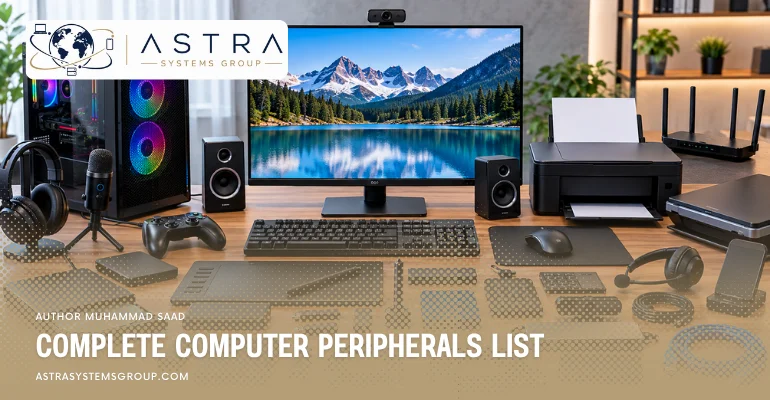

Computer peripherals are devices connected to a computer to extend how users enter data, receive information, store files, communicate, and interact with software. A complete computer peripherals list therefore extends beyond a keyboard, mouse, monitor, and printer. It includes scanners and cameras for capturing information, audio devices for communication, specialized controllers for precise input, displays and printers for output, and external storage or networking devices that transfer data in both directions. Some peripherals belong to one clear group, while devices such as touchscreens and multifunction printers combine input and output functions.
What is included in a complete computer peripherals list?
Computer peripherals can be organized into input devices, output devices, and peripherals that provide both input and output.
- Keyboard
- Mouse
- Touchpad
- Trackball
- Scanner
- Barcode scanner
- QR code reader
- Microphone
- Webcam
- Digital camera
- Joystick
- Game controller
- Graphics tablet
- Stylus
- Light pen
- Biometric reader
- Smart card reader
- Magnetic stripe reader
- Sensor
- Touchscreen
- Monitor
- Printer
- Plotter
- Speakers
- Headphones
- Projector
- Braille display
- Haptic device
- Force-feedback device
- Multifunction printer
- External SSD
- External HDD
- USB flash drive
- Memory-card reader
- External optical drive
- Network adapter
- Wi-Fi adapter
- Modem
- Docking station
What are the input devices that are included in computer peripherals?
Input devices included in computer peripherals are:
- Keyboard
- Mouse
- Touchpad
- Trackball
- Scanner
- Barcode scanner
- QR code reader
- Microphone
- Webcam
- Digital camera
- Joystick
- Game controller
- Graphics tablet
- Stylus
- Light pen
- Biometric reader
- Smart card reader
- Magnetic stripe reader
- Sensor
- Touchscreen
An input peripheral transfers a user’s action, captured signal, image, sound, or other data into the computer for processing.
Keyboard
A keyboard is an input peripheral used to enter text, numbers, symbols, shortcuts, and commands into a computer. Pressing a key generates an input signal that the operating system and active software interpret according to the selected keyboard layout.
Desktop keyboards usually connect through USB or Bluetooth, while laptops generally contain an integrated keyboard. Standard keyboards include letter keys, number keys, modifier keys, navigation keys, and function keys. Business keyboards may add programmable shortcuts, smart-card readers, or security controls. The keyboard remains one of the primary peripherals for document creation, data entry, programming, system administration, and general office work.
Mouse
A mouse is a pointing input device used to move the on-screen pointer and interact with graphical software. Movement across a surface changes the pointer position, while buttons and a scroll wheel provide selection, navigation, dragging, and scrolling controls.
Modern mice commonly use optical sensors rather than mechanical tracking balls. They can connect through USB, Bluetooth, or a wireless receiver. Standard office mice usually provide basic buttons and scrolling, while gaming, engineering, and professional models can include adjustable sensitivity, programmable controls, or additional buttons. A mouse is most useful when software requires precise navigation through windows, menus, documents, graphics, or design interfaces.
Touchpad
A touchpad is a flat input surface that tracks finger position and movement to control a computer pointer. It performs many of the functions of a mouse without requiring a separate device.
Touchpads are mainly integrated into laptops, although external versions also exist. A user can move a finger to reposition the pointer, tap to select an item, or perform multi-finger gestures for scrolling, zooming, switching applications, and other operating-system functions. Because the touchpad occupies little physical space and requires no desk surface for movement, it fits portable computers particularly well.
Trackball
A trackball is a pointing peripheral that controls the cursor through a rotating ball mounted inside a stationary device. Instead of moving the complete device across a desk, the user rotates the ball with a thumb, finger, or hand.
Trackballs provide pointer control while occupying very little desk space. They appear in office systems, industrial equipment, accessibility setups, control stations, and specialist environments where moving a conventional mouse is inconvenient. Some users also select trackballs for precise cursor positioning because the device itself remains stationary during operation. Trackballs connect through interfaces such as USB or wireless connections and perform the same basic selection and navigation functions as a mouse.
Scanner
A scanner is an input peripheral that converts printed documents, photographs, drawings, and other physical material into digital images. The scanning mechanism reads reflected light from the original material and converts the captured information into data that software can store or process.
Flatbed scanners place the material on a glass surface, while sheet-fed scanners move pages automatically through the scanning mechanism. Document scanners are common in offices that digitize contracts, invoices, records, and forms. Optical character recognition software can further analyze a scanned document and convert recognizable printed text into editable or searchable digital text. Scanner resolution is commonly measured in dots per inch.
Barcode and QR code scanner
A barcode or QR code scanner is an input peripheral that reads machine-readable symbols and converts them into digital information. The computer receives the decoded value and passes it to software such as a point-of-sale, warehouse, inventory, healthcare, or asset-management system.
Barcode scanners commonly use laser or imaging technology to capture one-dimensional barcodes. Image-based readers can also capture two-dimensional codes such as QR codes. Businesses use these devices because a scan can enter an identifier without manually typing a long product or asset number. USB scanners often behave like keyboards by placing the decoded value directly into the active software field. Wireless models can transmit captured data over Bluetooth or specialized radio connections.
Microphone
A microphone is an audio input peripheral that converts sound into an electrical and then digital signal that a computer can process. It allows software to receive speech, music, environmental sound, and other audio.
Microphones are used for video conferences, voice calls, recording, speech recognition, streaming, content production, and accessibility. A microphone can be integrated into a laptop or webcam, built into a headset, or connected separately through USB or an audio interface. The required microphone depends on the task. Office communication usually requires clear voice capture, while music and professional production can require greater frequency response, sensitivity, and control over unwanted noise.
Webcam
A webcam is a visual input peripheral that captures live images or video and sends them to a computer. Software can then display, record, analyze, or transmit the captured video.
Webcams are common in video meetings, online education, remote support, streaming, security monitoring, and content creation. Many laptops contain an integrated camera, while desktop systems commonly use an external USB webcam positioned above or near the monitor. Webcam characteristics include image resolution, frame rate, field of view, autofocus, low-light performance, and integrated microphone quality. The camera supplies the visual input while conferencing or recording software handles compression, transmission, and storage.
Digital camera
A digital camera can operate as a computer input peripheral when photographs or video are transferred to the computer for storage, editing, analysis, or publication. The camera captures light through an image sensor and stores the resulting information as digital files.
Cameras can transfer files through USB, memory cards, wireless connections, or network services. Some models also work as live video sources when connected to a computer. Digital cameras differ from webcams because cameras are generally designed primarily for independent photography or video recording, while webcams normally provide continuous video directly to computer software. Photography, media production, scientific imaging, security, and documentation workflows regularly move camera data into computers for further processing.
Joystick and game controller
A joystick or game controller is an input peripheral that converts physical movement and button presses into software commands. These devices provide more specialized control than a standard keyboard or mouse for games, simulators, training applications, and some industrial systems.
A joystick normally uses a movable stick to indicate direction or position and may include triggers, buttons, or throttle controls. A gamepad places directional controls, analog sticks, triggers, and buttons in a handheld unit. Flight simulators, driving applications, gaming systems, robotic controls, and training software can use these devices because they translate continuous hand movements into directional or positional commands.
Graphics tablet and stylus
A graphics tablet is an input peripheral that captures the position and movement of a stylus across a sensitive surface. Designers, illustrators, engineers, photographers, and digital artists use it for drawing and precise graphical input.
Unlike a mouse, many graphics tablets can detect pressure and stylus angle. Software can use this information to change line thickness, opacity, brush behavior, or other drawing properties. Some tablets operate as separate surfaces while the image appears on the computer monitor. Pen displays combine the drawing surface and display so the user works directly on the image. A stylus can also operate with compatible tablets, touchscreen laptops, and professional displays.
Light pen
A light pen is a legacy pointing input device that allows a user to select or draw directly on a compatible display. The pen detects light from the screen and uses that information to identify the selected position.
Light pens were associated mainly with cathode-ray tube displays and specialized computer systems. They provided direct screen interaction before modern touchscreens and graphics tablets became common. Because contemporary flat-panel displays operate differently from CRT screens, traditional light pens are rarely used with modern personal computers. The device remains relevant to computer-peripheral history because it established an early method of selecting graphical information directly from a display rather than controlling a separate pointer.
Biometric reader
A biometric reader is an input peripheral that captures a measurable human characteristic for identification or authentication. Common examples include fingerprint readers, facial-recognition cameras, iris scanners, and specialized palm or vein readers.
The device captures biometric information and sends a processed representation to authentication software. The system then compares the captured data with a registered reference. Fingerprint readers are common on business laptops and security terminals, while other biometric systems appear in controlled facilities and identity-management environments. A biometric reader does not simply replace a password in every system; organizations can combine biometric verification with passwords, security keys, smart cards, or other authentication factors.
Smart card and magnetic stripe reader
A smart card or magnetic stripe reader is an input peripheral that captures information stored on a physical card. Businesses use these readers for identity verification, payments, access control, employee authentication, and specialized information systems.
A magnetic stripe reader reads encoded data from the magnetic band on a card. A smart-card reader communicates with an embedded chip and can support stronger authentication or cryptographic operations. Some readers connect externally through USB, while others are integrated into keyboards, laptops, payment terminals, or access-control equipment. These devices differ from memory-card readers because their primary role is usually identification or transaction input rather than general file storage.
Sensor
A sensor is an input device that measures a physical condition and converts the measurement into data a computer can process. Sensors can detect temperature, pressure, motion, distance, light, position, humidity, acceleration, or other environmental and mechanical conditions.
Sensors are especially important in industrial computers, embedded systems, laboratories, smart buildings, vehicles, robotics, and Internet of Things equipment. A temperature sensor, for example, can continuously provide measurements to monitoring software. The computer can record the readings, generate alerts, or use them as part of an automated control process. Unlike a keyboard or mouse, a sensor can provide input continuously without direct human interaction.
Touchscreen
A touchscreen is a display that also accepts direct touch as input. A user can tap, swipe, drag, zoom, type on an on-screen keyboard, or control software without a separate mouse.
Touchscreens appear in tablets, smartphones, laptops, kiosks, point-of-sale terminals, industrial computers, and interactive displays. Capacitive touchscreens commonly detect electrical changes produced by a finger, while other technologies use different sensing methods. A touchscreen belongs to both input and output categories because it displays information while also detecting user interaction. For classification purposes, its touch-sensitive layer performs the input function and its display panel performs the output function.
What are the output devices that are included in computer peripherals?
Output devices included in computer peripherals are:
- Monitor
- Printer
- Plotter
- Speakers
- Headphones
- Projector
- Braille display
- Haptic device
- Force-feedback device
An output peripheral receives processed information from the computer and presents it in visual, printed, audio, tactile, or physical form.
Monitor
A monitor is a visual output peripheral that displays text, images, video, application interfaces, and other information generated by a computer. It provides the main visual connection between a user and most desktop computer software.
Modern monitors generally use LCD or OLED panel technology and connect through interfaces such as HDMI, DisplayPort, USB-C, or Thunderbolt. Important monitor characteristics include screen size, resolution, refresh rate, panel technology, color accuracy, brightness, and connectivity. Office systems usually emphasize readability and workspace, while design, video, engineering, and gaming environments can require higher resolutions, wider color ranges, or faster refresh rates.
Printer
A printer is an output peripheral that converts digital documents, images, labels, or graphics into physical material. Printers commonly place ink or toner on paper, although specialized models can print labels, photographs, cards, and other media.
Inkjet printers deposit liquid ink and are common for general documents and color images. Laser printers use toner and are widely deployed in offices with higher document volumes. Business printers can connect through USB, Ethernet, or Wi-Fi and can be shared by many users across a network. Print resolution, speed, paper handling, duty cycle, color capability, and operating cost influence which printer fits a particular workload.
Plotter
A plotter is an output device designed to produce large or highly precise drawings. Plotters have traditionally been associated with engineering plans, architectural drawings, maps, technical diagrams, and other graphics where accurate dimensions and line placement matter.
Earlier pen plotters physically moved pens across paper to draw lines. Modern wide-format devices generally use printing technologies while retaining the plotter role for large technical output. Computer-aided design and geographic information systems commonly produce files that can be sent to this type of equipment. A plotter differs from an ordinary office printer mainly through its intended scale, media handling, and emphasis on detailed technical graphics.
Speakers
Speakers are audio output peripherals that convert electrical signals from a computer into audible sound. They reproduce speech, music, alerts, game audio, meeting sound, and other information generated by software.
Computer speakers can range from small units integrated into a monitor or laptop to external stereo systems and multi-speaker arrangements. They may connect through an analog audio jack, USB, Bluetooth, or another digital interface. Business environments use speakers for presentations and conferencing, while multimedia and production systems may require greater frequency range, output power, or separate subwoofers. The computer or audio interface produces the signal, while the speakers convert that signal into sound waves.
Headphones
Headphones are personal audio output peripherals that deliver computer sound directly to a user’s ears. They provide private listening for calls, meetings, media, games, training, editing, and general computer use.
Headphones can connect through analog audio ports, USB, Bluetooth, or specialized wireless receivers. Some models include active noise cancellation to reduce environmental sound. Headsets combine headphones with a microphone and therefore function as both output and input peripherals. In offices and call centres, headsets allow users to hear conversations while the attached microphone sends their speech back to the computer. Headphones without a microphone remain primarily output devices.
Projector
A projector is a visual output peripheral that enlarges computer-generated images onto a wall or projection screen. It allows one computer display to be viewed by a group rather than by a single person sitting directly in front of a monitor.
Projectors are common in meeting rooms, classrooms, conference halls, training environments, and presentation spaces. They can connect through HDMI, DisplayPort adapters, USB-C, or wireless presentation systems. Important characteristics include resolution, brightness, contrast, projection distance, and image size. Business projectors usually emphasize readable presentations in illuminated rooms, while home-theatre models place greater emphasis on image quality and cinematic viewing.
Braille display
A refreshable Braille display is a tactile output peripheral that presents computer text through movable Braille cells. Small pins rise and fall electronically to form Braille characters that a user reads by touch.
Braille displays provide computer access for users who are blind or have significant visual impairments. Screen-reading software determines the text or interface information that needs to be presented and sends the appropriate output to the display. Many Braille devices also include navigation buttons or Braille input keys, so particular models can function as both input and output peripherals. Their output role, however, is the conversion of digital text into a tactile form that can be read without a visual monitor.
Haptic and force-feedback device
A haptic device is an output peripheral that communicates information through physical sensation rather than sound or images. It can create vibration, resistance, movement, or force that corresponds to an event occurring in software.
Game controllers commonly use vibration to indicate collisions, movement, or other events. Advanced force-feedback controllers can resist a user’s movement to reproduce physical forces in driving, flight, medical, engineering, or training simulations. Virtual-reality controllers also use haptic feedback to make digital interaction more perceptible. Because many haptic controllers also contain buttons or motion sensors, the same physical device can provide input and output at the same time.
Which computer peripherals provide both input and output?
Computer peripherals that provide both input and output include:
- Touchscreen
- Multifunction printer
- Headset
- External SSD
- External HDD
- USB flash drive
- Memory-card reader
- External optical drive
- Network adapter
- Wi-Fi adapter
- Modem
- Docking station
- Some Braille devices
- Some game and haptic controllers
These peripherals exchange information in both directions between the computer and the connected device.
Multifunction printer
A multifunction printer combines several peripheral functions in one device. It normally prints computer data as physical output while its scanner captures documents as input. Many models also copy documents independently and connect to local networks.
This makes a multifunction printer both an input and output peripheral. A scanned invoice moves information from paper into the computer, while a printed report moves information from the computer onto paper. Business models can also support automatic document feeders, duplex scanning, user authentication, network queues, secure printing, and direct document workflows.
External SSD, HDD and USB flash drive
An external storage device both receives and returns data. When the computer writes a file to an external SSD, HDD, or USB flash drive, data moves from the computer to the peripheral. When the computer opens or copies a stored file, data travels back from the peripheral.
External storage devices are commonly used for file transfer, backup, additional capacity, software deployment, and portable data access.
Memory-card reader
A memory-card reader connects removable flash-memory cards to a computer. The computer can read files from the card and, when the card permits writing, save or modify data on it.
Card readers commonly handle SD, microSD, CompactFlash, or other card formats, depending on the device. Photographers often use them to transfer image files from camera memory cards, while industrial and embedded systems can use removable cards for data collection or system configuration. A reader can be integrated into a laptop or connected externally through USB.
External optical drive
An external optical drive reads CDs, DVDs, or Blu-ray discs through a USB or similar connection. A writable optical drive can also record data onto compatible discs, making it an input/output storage peripheral.
Optical drives are less common in current laptops and desktops than they were in earlier PCs, but external units remain useful for archived media, legacy software, music collections, video discs, and environments where optical media is still part of a storage or distribution process.
Modem and network adapter
Modems and network adapters transfer data between a computer and other systems. Incoming network traffic moves data into the computer, while outgoing traffic moves information away from it, so network communication naturally uses both input and output.
A USB Ethernet adapter adds wired networking when a computer lacks an Ethernet port. A Wi-Fi adapter adds wireless network access. A modem connects computer or network equipment to a communications service by converting signals into a suitable transmission form.
Docking station
A docking station expands the ports and peripheral connections available to a laptop or another compact computer. One connection to the host computer can provide access to monitors, keyboards, mice, Ethernet, audio devices, storage, power, and USB equipment.
Because information passes through the dock in both directions, a docking station acts as a connection and I/O expansion peripheral rather than a pure input or output device. Business users commonly use docks to turn a portable laptop into a desk-based workstation without connecting each peripheral separately.